Read time :
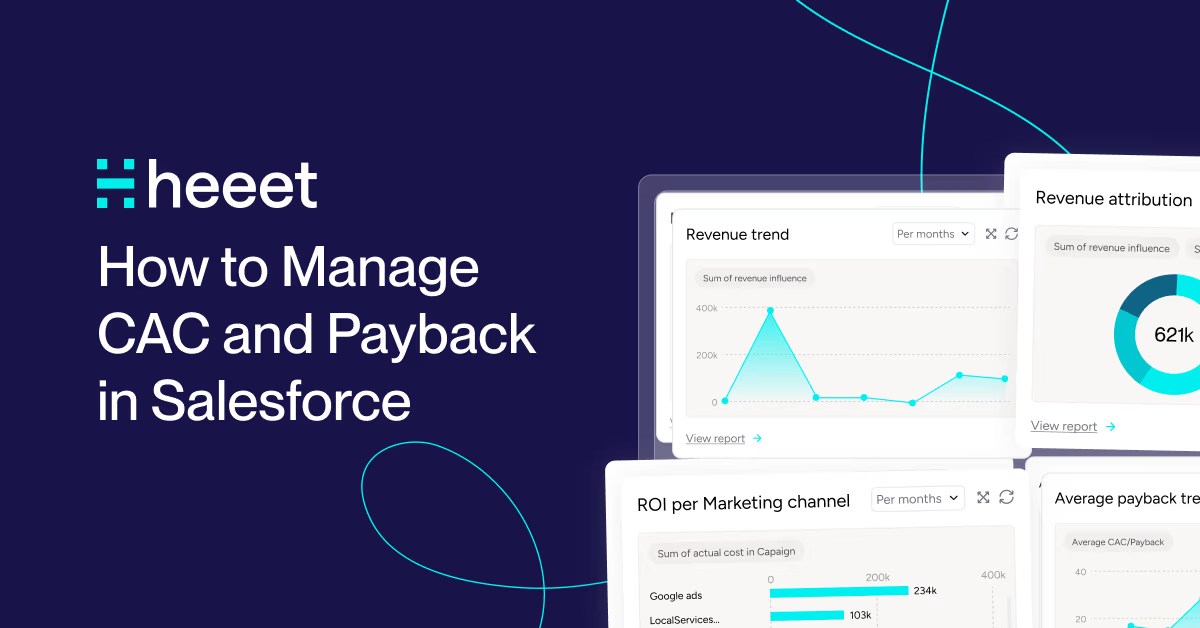
How to Manage CAC and Payback in Salesforce
Customer Acquisition Cost (CAC) and payback period are two of the most important metrics for any B2B marketing or finance team. Yet for most companies using Salesforce, calculating them accurately still means exporting data to spreadsheets and doing the math manually.
This article explains what CAC and payback period are, why they are hard to track natively in Salesforce, and how Heeet automates both metrics directly inside your CRM.


What is CAC?
Customer Acquisition Cost is the total cost of acquiring one new customer. It includes marketing spend, ad costs, and the portion of sales effort that goes into converting a lead into a closed deal.
The formula is simple:
CAC = Total acquisition costs / Number of new customers acquired
The challenge is not the formula - it is getting all the inputs into one place. Marketing spend lives in Google Ads, LinkedIn, and Meta. Sales effort sits in Salesforce activity logs. Connecting them accurately, at the individual lead level, is where most teams hit a wall.
What is the CAC Payback Period?
The payback period is how long it takes for a new customer to generate enough revenue to cover what it cost to acquire them, based on your gross margin.
Payback period = CAC / (Monthly recurring revenue x Gross margin)
Once a customer crosses that threshold, they become profitable. Tracking payback period by channel or campaign tells you which acquisition sources generate revenue fastest - which is critical when deciding where to invest budget next quarter.
Why Standard Salesforce Falls Short
Salesforce tracks leads, opportunities, and revenue well. But it has no native way to:
- Pull in ad spend from Google, LinkedIn, or Meta at the campaign level
- Attribute that spend to individual leads and opportunities
- Calculate cost per lead, cost per opportunity, and CAC automatically
- Track the time elapsed between first marketing touch and closed revenue
Most teams work around this with manual exports, VLOOKUP-heavy spreadsheets, or expensive data warehouse projects. The result is CAC data that is always weeks out of date and impossible to slice by channel or campaign.
How Heeet Automates CAC and Payback in Salesforce
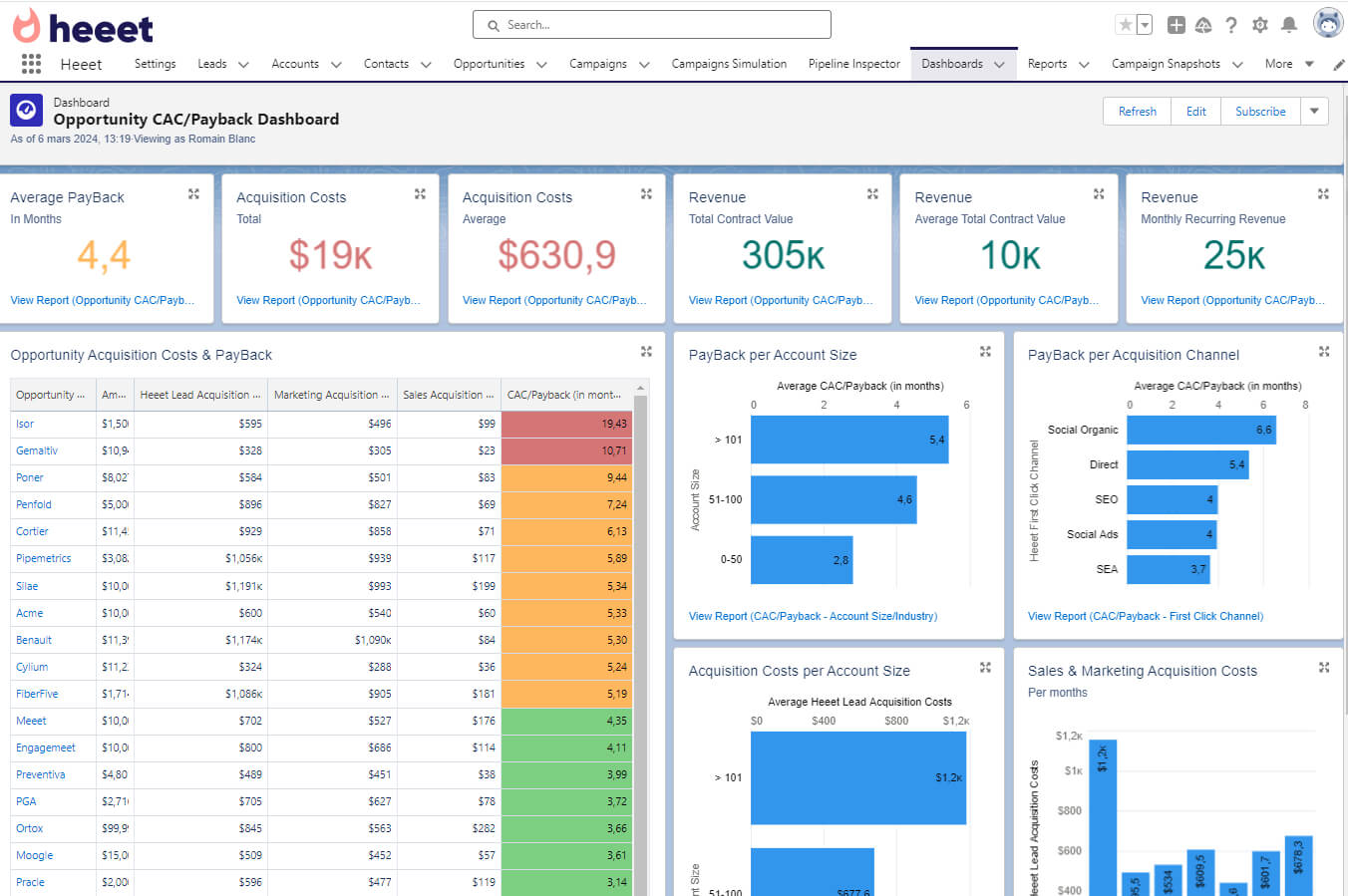
Heeet connects your ad platforms directly to Salesforce and writes attribution and cost data at the lead level. This makes it possible to calculate CAC and payback period automatically, in real time, without leaving your CRM.
Here is what gets tracked automatically:

Why First Touch Date Matters More Than Lead Creation Date
Most Salesforce setups use the Lead Creation Date as the starting point for cycle length and payback calculations. This is misleading.
A prospect might click a LinkedIn ad in January, spend three months researching, and only fill in a form in April. If you measure from the form fill, your payback period looks four months shorter than it actually is - which makes budget decisions less accurate.
Heeet captures the first marketing interaction date, not the form fill date, so your payback and cycle length metrics reflect the real buyer journey from the very first touchpoint.
Comparing CAC by Channel
Once all costs and attribution data are in Salesforce, you can compare acquisition efficiency across every channel side by side. A common finding: the channel with the highest conversion rate is not always the one with the lowest CAC.
For example, LinkedIn Ads might close at a higher rate than Google Ads - but if LinkedIn leads take twice as long to convert and cost three times more per click, the actual CAC and payback period may be significantly worse. Without this data in one place, that tradeoff is invisible.
Summary
Tracking CAC and payback period accurately in Salesforce requires pulling ad costs into the CRM, attributing them to individual leads and opportunities, and measuring from the first marketing touch rather than the form fill date. Heeet automates all of this natively - giving marketing, RevOps, and finance teams a single, always-current view of acquisition efficiency directly inside Salesforce.
Want to see your CAC and payback period by channel in Salesforce? Talk to us
Other articles
_%20How%20to%20calculate%20it%20%26%20why%20it%20is%20important.png)
Customer Acquisition Cost (CAC): How to calculate it & why it is important
Customer Acquisition Cost (CAC) is a key metric that helps businesses evaluate the efficiency of their marketing and sales strategies. It represents the total cost of acquiring a new customer, including marketing spend, sales efforts, and other associated expenses
How to Manage time to revenue in Salesforce
Understanding how long it takes for a lead to turn into revenue is key to measure your campaigns effectiveness and manage your pipeline more accurately.
.svg)
Ready to track prospects from lead to close with Heeet?
Heeet gives marketers and sales professionals at IT & Security firms turn geuss work intro informed decisions that drive revenue while meeting the same secruity technical standards you provide your clients.