
Read time :
Salesforce Campaign Influence: Pros, Cons & Limitations (2027)
Salesforce Campaign Influence connects campaigns to pipeline but it has real limits. See the pros, cons, attribution models, and how to fill the gaps.

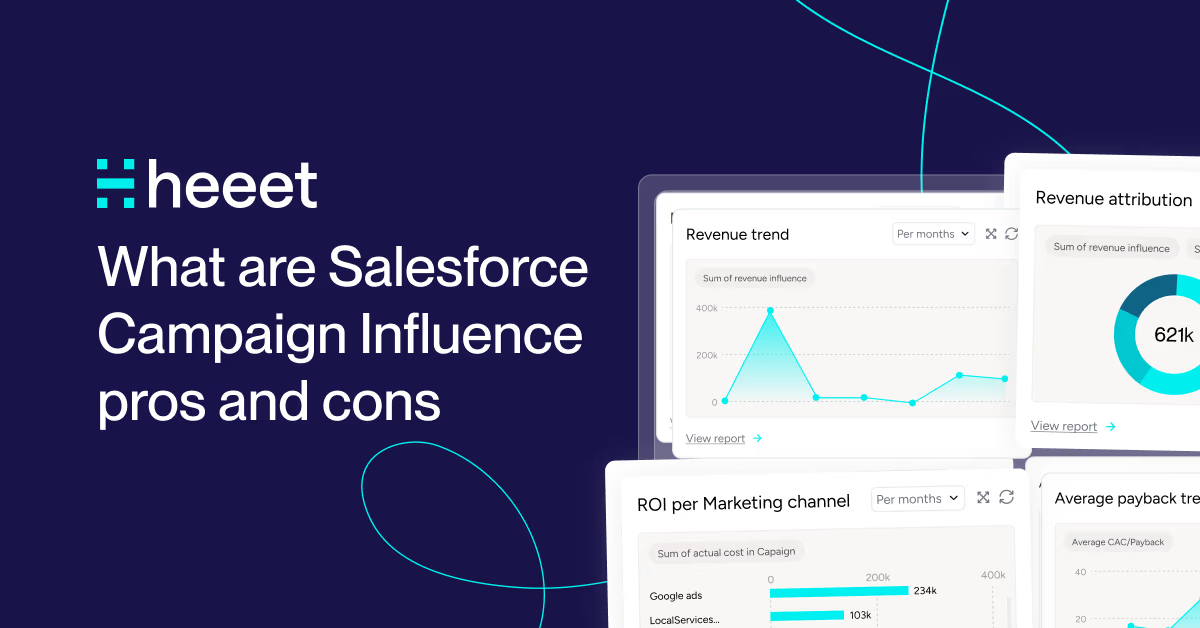

Salesforce Campaign Influence has real strengths and real downsides. Which side wins depends on how you set it up and what you need it to answer. It's one of three native attribution options in Salesforce, alongside Lead Source and Primary Campaign Source. Our Salesforce marketing attribution guide compares all three.
This article walks through how Campaign Influence works, where it holds up, where it falls short and how to close the gaps. By the end, you'll know whether the native feature is enough for your team or needs extending.
If you'd rather run these models on real CRM revenue without the manual upkeep, Heeet offers Salesforce-native campaign attribution.
What is Salesforce Campaign Influence?
Campaign Influence is the Salesforce feature that tracks which campaigns touched a lead or contact before they converted into an opportunity. Instead of crediting a single campaign, it lets you distribute credit across all the campaigns that played a role in the buyer's journey, using attribution models you define.
In a typical B2B deal, a prospect might attend a webinar, read three blog posts, click a LinkedIn ad, and download a whitepaper before a sales conversation ever happens. Campaign Influence exists to connect those campaign touchpoints to pipeline and revenue, so marketing can finally answer the question every executive asks: which campaigns actually drive deals?
How does Salesforce Campaign Influence work?
Salesforce Campaign Influence is tightly related to two junction objects: Opportunity Contact Role and Campaign Member. Salesforce has since added Opportunity Influence, a separate feature that runs on Data 360 (formerly Data Cloud) and credits Marketing Cloud engagement without needing campaign membership.
- A Contact Role is a junction object between a contact and an opportunity.
- A Campaign Member is a junction object between a contact (or lead) and a campaign.
Here's the mechanic in action, using the Pied Piper company as an example:
- Monica Hall is added as a Campaign Member on Campaign A.
- Laurie Bream is added as a Campaign Member on Campaign B.
- An opportunity is opened under the Pied Piper account.
- Monica Hall is added as Decision Maker and Laurie Bream as Executive Sponsor under Opportunity Contact Roles.
- Automatically, Campaign A and Campaign B are added as Campaign Influence records on the opportunity.
You can then manage the Revenue Share between those influences, either manually or by applying a predefined attribution model such as first touch, last touch, or even (linear) distribution.
Primary Campaign Source vs. Customizable Campaign Influence
This distinction trips up most teams, and it's the single most important thing to understand about the feature.
- Primary Campaign Source (Campaign Influence 1.0) is effectively a single-touch, last-touch model. When a lead converts, Salesforce stamps the most recent influencing campaign as the Primary Campaign Source and gives it 100% of the credit. It's simple, but it erases every campaign that came before the last one.
- Customizable Campaign Influence (CCI) is the multi-touch framework. It links contacts to campaigns (via Campaign Members) and contacts to opportunities (via Contact Roles), letting you store multiple influence records on a single opportunity and split credit across them.
If you only ever look at Primary Campaign Source, you're running last-touch attribution whether you meant to or not.
The attribution models you can apply
Sales Cloud on its own gives you the Primary Campaign Source model, plus custom models that you fill with Flow or Apex. The three predefined models below come with Account Engagement (Pardot), which switches them on as additional campaign influence models:
- First Touch: 100% credit to the first campaign in the journey. Best for measuring top-of-funnel demand generation.
- Last Touch: 100% credit to the final campaign before conversion. Overweights bottom-of-funnel actions.
- Even / Linear: equal credit across all influencing campaigns. A fair, simple multi-touch baseline.
The important caveat: native Salesforce does not calculate weighted multi-touch models (U-shaped, W-shaped) automatically. To build those, you'll need custom report types, flows, Apex, or a dedicated tool for multi-touch attribution in Salesforce.
Worked example: how the models split a $10,000 opportunity
Say three campaigns influenced a $10,000 opportunity: a LinkedIn ad (first touch), a webinar (middle) and a demo-request campaign (last touch). Here's how each model divides the revenue:
| Campaign | First Touch | Last Touch | Even (Linear) |
|---|---|---|---|
| LinkedIn ad (first) | $10,000 | $0 | $3,333 |
| Webinar (middle) | $0 | $0 | $3,333 |
| Demo request (last) | $0 | $10,000 | $3,334 |
The lesson is immediate: under last touch you'd credit only the demo campaign and might cut the LinkedIn ad that opened the deal; under first touch you'd undervalue the demo that closed it. Even distribution is the simplest honest middle ground native Salesforce offers. None of these models weight the milestones the way a U-shaped model would. That gap is where teams start needing more than the native feature provides.
How it relates to Opportunity Influence
Opportunity Influence is the newer of the two. It runs on Data 360, which Salesforce called Data Cloud until October 2025. Campaign Influence only counts a touch once a contact is a Campaign Member. Opportunity Influence skips that requirement and reads Marketing Cloud engagement instead, such as email opens, form submissions, landing page visits and SMS clicks, from the contacts who hold a role on the opportunity.
Both still lean on contact roles. And neither one, on its own, credits an anonymous visit from a Google ad or an organic search.
Campaign Influence in Pardot (Account Engagement)
If you run Pardot (now Marketing Cloud Account Engagement), Campaign Influence behaves a little differently and carries its own trade-offs. Account Engagement layers predefined attribution models on top of the native framework, which makes multi-touch easier to operate out of the box.
The upsides are real: Account Engagement offers native multiple-campaign influence and is relatively quick to set up compared with building custom models from scratch. For teams already invested in Pardot, it's the path of least resistance to multi-touch reporting.
But the limitations are worth knowing before you rely on it:
- No automated campaign creation. Campaigns for Google Ads, Meta, and other paid platforms still have to be created and maintained by hand, which is a heavy, ongoing job.
- Bottom-of-funnel bias. It tends to focus on campaigns that touch a lead or contact after they're already in your database, underrepresenting the channels that generated the lead in the first place.
- Cookie-based tracking. Pardot's tracking relies on cookies, which means less data as browsers and privacy settings tighten.
- Opportunity-creation dependency. Because it relies on the Opportunity Contact Role object, influence is only recorded once an opportunity is created. Everything in the pre-acquisition phase on the lead record is missed unless you capture it another way.
In short, Pardot makes multi-touch easier but doesn't solve the two structural gaps shared by all native approaches: untracked non-campaign channels and invisible pre-conversion activity.
Advantages of Using Salesforce Campaign Influence
1. Enhanced visibility. Campaign Influence shows how marketing campaigns affect lead and opportunity conversions, helping teams see which campaigns most effectively drive conversions and make data-driven decisions.
2. Attribution flexibility. You can create custom attribution models that align with your unique sales process and customer journey, assigning credit in the way that makes the most sense for your business.
3. Multi-touch attribution. With Customizable Campaign Influence, the feature recognizes that leads engage with multiple campaigns before converting, producing a more accurate representation of the buyer's journey than single-touch reporting.
4. Sales and marketing alignment. A shared view of campaign influence fosters better alignment between sales and marketing. Sales teams can see the impact of marketing on opportunities, improving collaboration and communication.
5. ROI analysis. You can run detailed ROI analysis for individual campaigns, allocating budget more effectively and prioritizing the campaigns that deliver the highest return. The key to accuracy lies in customizing your attribution models to match your specific buyer journey and sales cycle.
6. Customization. Salesforce lets you tailor Campaign Influence with custom fields, reports, and dashboards to track and analyze influence data exactly as your business requires.
Want to go deeper on reporting? See this guide to advancing your Campaign Influence reporting.
Downsides and Limitations of Salesforce Campaign Influence
1. Manual maintenance of campaign data. Despite auto-association rules, the method still requires users to manually create campaigns and link lead or contact records to them via Campaign Member. At volume, this becomes a significant operational burden.
2. Manual maintenance of Contact Role data. Accurate multi-touch attribution depends on your sales team consistently updating Contact Roles on opportunities. It's easily one of the most neglected fields in any CRM. Missing roles silently break the rollup.
3. It may require knowledge of flows. If you use multiple attribution models, you'll need extra criteria in your flow to loop through them. That's not straightforward and usually needs someone fluent in flows and the underlying objects.
4. Missing channels. As the name implies, Campaign Influence focuses on campaigns. But what about SEO, direct traffic, referrals, and affiliates? Without a proper tracking system, you'll always end up with gaps. Those gaps tend to hide some of your most efficient channels.
5. Limited attribution models. The flexibility to build custom models also means you must define and maintain them. Native Salesforce won't compute weighted multi-touch models for you, and maintaining custom logic gets harder as your business evolves.
Campaign Influence works when someone owns it. That means campaign creation, contact roles and model logic, checked every month as volume grows.
If you're ready to proceed despite these limitations, our guide to setting up Campaign Influence walks through the technical implementation step by step.
Ringover ran into the channel gap head-on. Before Heeet, the team relied on last-click attribution and partial tracking. Once every touchpoint landed in Salesforce, Ringover found that SEO-sourced leads made up 25% of its sales pipeline. Campaign Influence has no campaign for that channel.
When Salesforce Campaign Influence Is Enough, and When It Isn't
Native Campaign Influence is the right call when:
- Your marketing is campaign-centric and most touchpoints already live in Salesforce campaigns.
- You're comfortable with first-touch, last-touch, or even distribution and don't need weighted multi-touch.
- You have the operational discipline (or a small enough volume) to maintain campaign members and contact roles by hand.
- You have admin or flow expertise in-house to configure and maintain models.
You'll outgrow it when:
- A large share of pipeline comes from non-campaign channels (SEO, direct, referral, organic social) that Campaign Influence can't see.
- You need weighted multi-touch (U-shaped, W-shaped) that native reporting won't calculate.
- Manual campaign and contact-role upkeep has become a tax on your team.
- You want to credit anonymous, pre-conversion touches that happen before a record even exists in Salesforce.
That last point is the structural ceiling: because Campaign Influence relies on Contact Roles and Campaign Members, it can only credit touchpoints that occur after a record exists and after an opportunity is created. Everything in the "pre-acquisition" phase is invisible unless you add tracking that captures it.
Native Campaign Influence vs. Customizable vs. Heeet
| Capability | Primary Campaign Source | Customizable Campaign Influence | Heeet |
|---|---|---|---|
| Attribution type | Single-touch (last-touch) | Multi-touch framework | Automated multi-touch |
| Built-in models | Last-touch only | Primary Campaign Source model; First / Last / Even with Account Engagement | First, Last, Linear, U-shaped & more |
| Campaign creation | Manual | Manual | Automated (Google, LinkedIn, Meta, etc.) |
| Non-campaign channels (SEO, direct, referral) | Not tracked | Not tracked | Tracked |
| Pre-conversion / anonymous touches | No | No | Yes (cookieless) |
| Setup effort | Low | Medium–high (flows/admin) | Hours, no BI tools or devs |
| Maintenance | Manual | Manual | Automated |
How to Get More Out of Campaign Influence (Best-Practice Checklist)
- Decide early whether you're using Primary Campaign Source or Customizable Campaign Influence, then document the choice.
- Make Contact Roles mandatory on every opportunity; they're the linchpin of multi-touch.
- Enforce a consistent campaign naming convention so reports stay clean.
- Pick an attribution model that matches the decision you're making (first-touch for demand gen, even for fairness).
- Run a monthly audit for opportunities missing campaign associations or contact roles.
- Add tracking for non-campaign channels (SEO, direct, referral) so they're not invisible.
- Capture pre-conversion touches to avoid crediting only the last campaign.
- Revisit your models quarterly as your funnel and motion change.
How to Enable Campaign Influence (Quick Setup Overview)
Setting up Campaign Influence is less about flipping a single switch and more about getting four pieces in place. At a high level:
- Enable the feature. In Setup, turn on Customizable Campaign Influence so opportunities can hold multiple influence records.
- Choose your attribution model. Decide between first-touch, last-touch, or even distribution as your default. Write down why.
- Configure page layouts. Add the Campaign Influence related list to your opportunity layouts so reps and marketers can see and adjust revenue share.
- Set up Contact Roles and Campaign Members. Ensure leads and contacts are added as campaign members, and that opportunities have contact roles. That's the data the whole model runs on.
- Build your reports. Create a report using the Campaign Influence report type to measure marketing's impact on pipeline and revenue.
Done well, this gives marketing a direct line between campaign spend and closed revenue. For the full click-by-click walkthrough, see our guide to setting up Campaign Influence in Salesforce. Most setups break at the Contact Roles and Campaign Members step. If those records fall behind, your Campaign Influence reports understate marketing's share of pipeline. Nothing in Salesforce warns you.
A Smarter Way to Do Attribution With Heeet
Heeet simplifies attribution by giving Salesforce users accurate multi-touch tracking directly inside their CRM. Enterprise attribution tools can take months to implement. Heeet installs as a Salesforce package and needs no BI tools or developers.
- Cookieless tracking maintains visibility regardless of browser settings or privacy changes.
- Prospect data stays in your CRM. Heeet doesn't collect or process it outside your systems.
- Pull detailed data from Google Ads, LinkedIn, Meta, and more in just a few clicks for a full view of ad performance in Salesforce.
- Automatically track every interaction, including anonymous visits before a form fill, for complete journey visibility.
- See which accounts saw your LinkedIn ads before anyone filled in a form. LinkedIn Ad Exposure matches company-level impressions to Salesforce accounts by web domain and shows them on the account and opportunity, kept separate from attribution credit.
- Update attribution models in real time, so teams pivot based on what works today, not last quarter.
- Automate the campaign creation and contact-role plumbing that makes native Campaign Influence so manual.
Heeet builds on attribution fundamentals while adding critical capabilities:
- Track the post-acquisition journey, from the form fill through every sales conversation that follows.
- Pre-built dashboards reveal which channels, campaigns, and content pieces drive opportunities through each funnel stage.
- See exactly why each attribution decision was made, with full attribution transparency.
- Integrate Google Search Console with Salesforce so SEO efforts map directly to revenue.
- Identify the exact search queries behind your keywords.
- Feed Agentforce the data it needs without digging through campaigns.
Marketing and SEO teams identify revenue-driving channels and content; RevOps optimizes conversion; CEOs and CFOs get the centralized revenue reports they need to maximize ROI. Implementation takes hours, with actionable insights inside the first week.
Summary
Salesforce Campaign Influence connects marketing campaigns to pipeline and revenue. Through Customizable Campaign Influence, it supports multi-touch attribution, with first-touch, last-touch and even-distribution models available through Account Engagement. Its strengths are visibility, flexibility, and tighter sales-marketing alignment.
Its limits are equally real: it depends on manual campaign and contact-role maintenance, often needs flow expertise, can't see non-campaign channels like SEO and direct traffic, and won't calculate weighted multi-touch models or credit anonymous pre-conversion touches. Native functionality fits campaign-centric teams with the discipline to maintain it; teams with significant non-campaign demand or a need for automated, weighted multi-touch attribution will hit a ceiling.
The practical path is to get the fundamentals right (clear model choice, mandatory contact roles, consistent naming, regular audits), then extend Campaign Influence with automated, cookieless tracking when manual upkeep and channel blind spots start costing you accuracy.
FAQ
What is Salesforce Campaign Influence? Campaign Influence is a Salesforce feature that tracks which campaigns touched a lead or contact before they converted into an opportunity, then distributes credit across those campaigns using attribution models you define.
What's the difference between Primary Campaign Source and Customizable Campaign Influence? Primary Campaign Source is a single-touch, last-touch model that gives 100% of the credit to the most recent campaign. Customizable Campaign Influence is the multi-touch framework that lets you store multiple influence records on an opportunity and split credit across campaigns.
What attribution models does Salesforce Campaign Influence support? Sales Cloud includes the Primary Campaign Source model and lets you add custom models. Account Engagement adds First Touch, Last Touch and Even (linear) distribution. Native Salesforce doesn't calculate weighted models such as U-shaped or W-shaped, which need custom development or a dedicated tool.
What are the main limitations of Salesforce Campaign Influence? It relies on manual campaign and contact-role maintenance, can require flow expertise, misses non-campaign channels like SEO and direct traffic, won't compute weighted multi-touch models, and can't credit anonymous touches before a record or opportunity exists.
How is Campaign Influence different from Opportunity Influence? Campaign Influence credits the Salesforce campaigns that a deal's contacts were members of. Opportunity Influence runs on Data 360 and credits Marketing Cloud engagement, such as emails, forms and landing pages, from the opportunity's contacts without needing campaign membership.
Do I need Pardot (Account Engagement) to use Campaign Influence? No. Customizable Campaign Influence comes with Sales Cloud in Professional, Enterprise, Performance, Unlimited and Developer editions. The predefined first-touch, last-touch and even-distribution models need Account Engagement. Without it, you get the Primary Campaign Source model and any custom models you build.
Can Salesforce Campaign Influence track SEO and organic traffic? Not on its own. Campaign Influence only credits activity tied to Salesforce campaigns, so SEO, direct, and referral traffic stay invisible unless you add a tracking system that captures those channels and writes them back to Salesforce. This is one of the most common reasons teams extend native functionality with a dedicated attribution tool.
Other articles
How to Set Up Campaign Influence in Salesforce (Enable, Customize & Report)
Set up and customize Salesforce Campaign Influence step by step : enable the feature, choose an attribution model, configure fields, and build revenue reports.
How to Connect Salesforce and Google Ads
Connecting Salesforce and Google Ads is a powerful way to integrate your customer relationship management (CRM) data with your ad campaigns,
TikTok integration with Salesforce campaigns
Sync TikTok Ads with Salesforce in 2 minutes using Heeet. Track costs, clicks, and revenue influence to measure your TikTok campaign ROI
.svg)
Ready to track prospects from lead to close with Heeet?
Heeet gives marketers and sales professionals at IT & Security firms turn geuss work intro informed decisions that drive revenue while meeting the same secruity technical standards you provide your clients.