Read time :
How to Create An Advanced Self Reported Attribution in Salesforce
Prospect listened to a podast, saw your booth at an event, read a review of your software on a comparison website, there are multiple exemples where you might want to capture the "How did you hear from us" data in Salesforce.


Prospect listened to a podast, saw your booth at an event, read a review of your software on a comparison website, there are multiple exemples where you might want to capture the "How did you hear from us" data in Salesforce.
It's a great start to start gathering data to understand "dark activities", but it's still missing granularity.
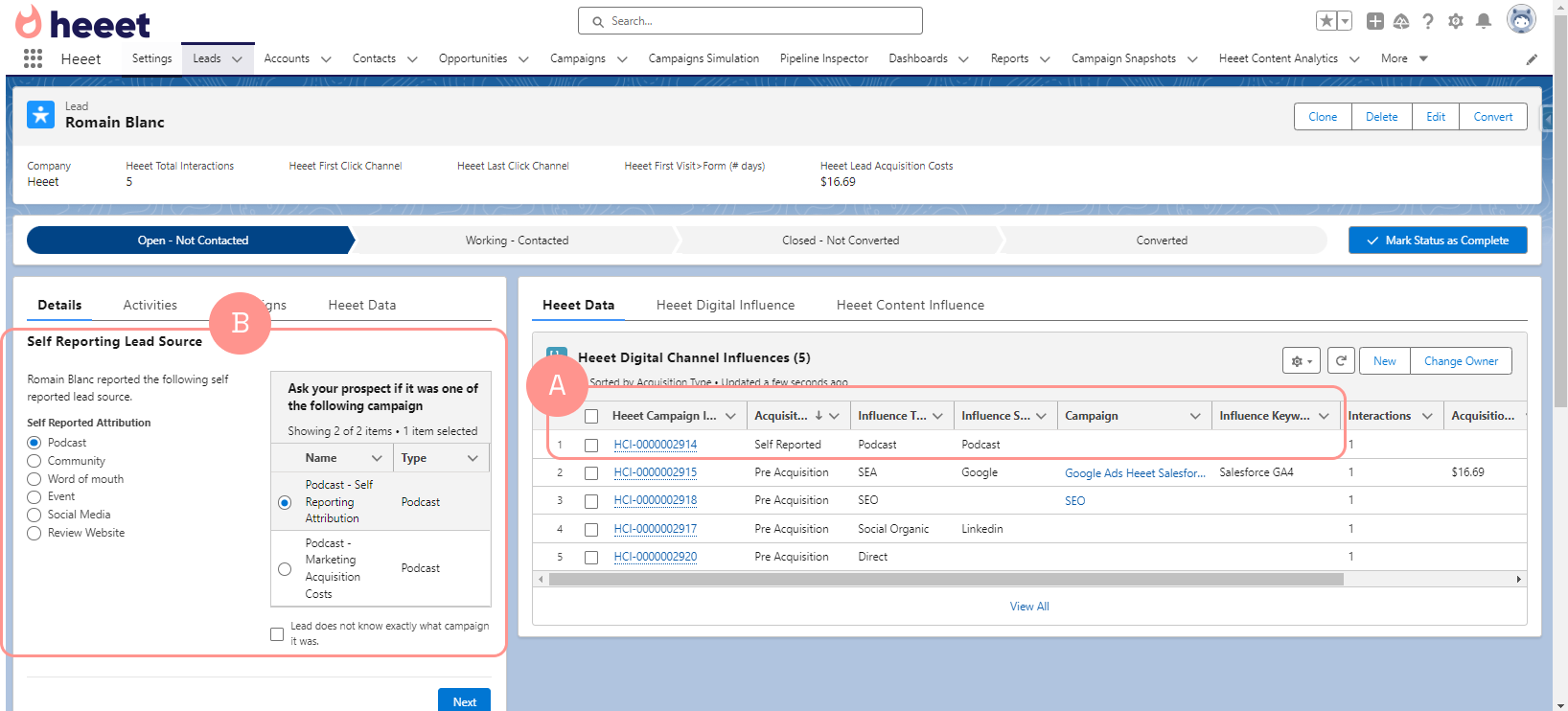
In order to capture more data, you can simply add a screen flow on your lead record in Salesforce.
Self reported attribution influence is automatically capture by Heeet for each form filled (A)
Depending on "self reported attribution" (podcast, review site,...), a datatable will display potential corresponding campaigns (B) and allow your sales represenative to select the corresponding campaign.
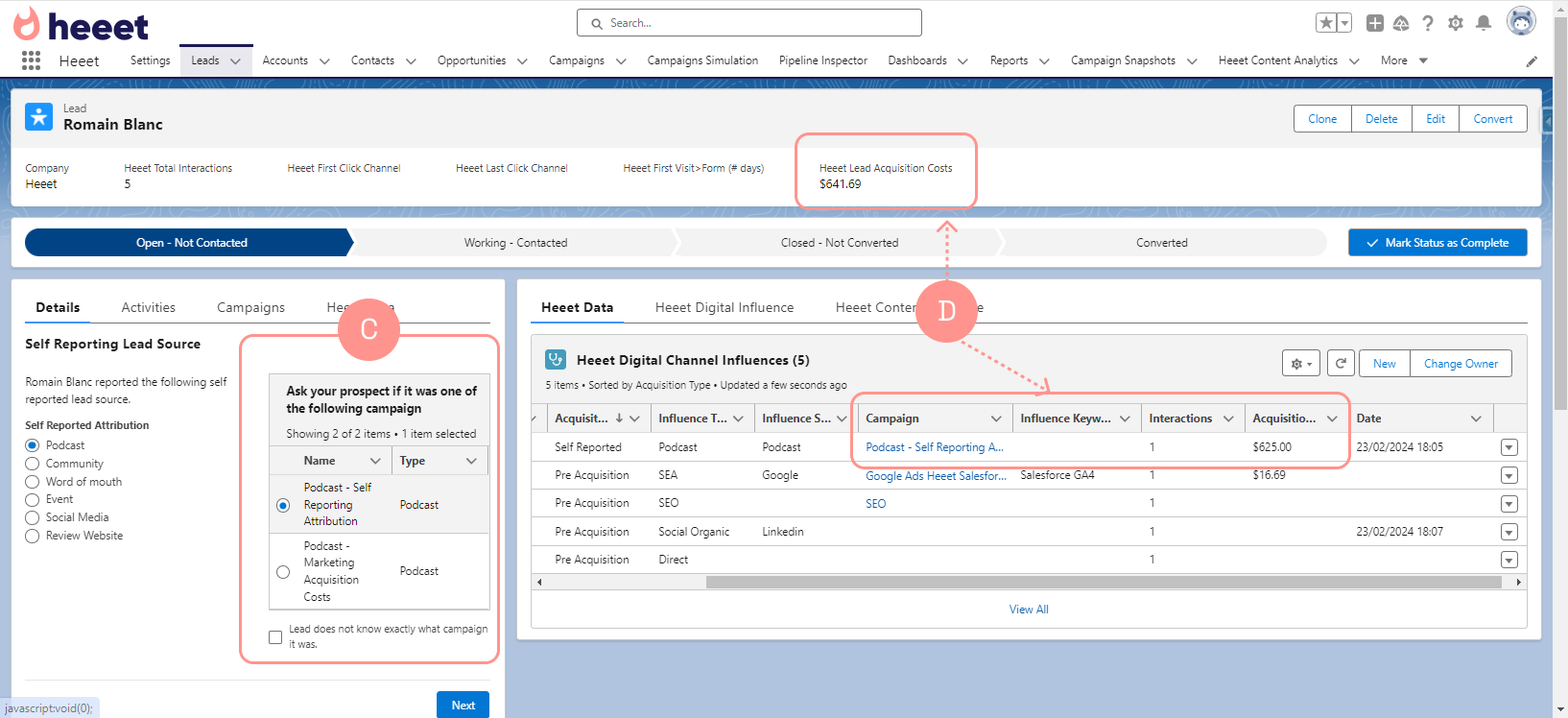
When your sales representative select a campaign (C), the existing self reported influence is automatically associated with the relevant campaign and lead acquisition costs are updated (D)
Other articles
.svg)
Êtes-vous prêt à suivre les prospects du lead à la clôture avec Heeet ?
Heet permet aux spécialistes du marketing et des ventes des entreprises informatiques et de sécurité de transformer leurs conjections en décisions éclairées qui génèrent des revenus tout en respectant les mêmes normes techniques de sécurité que celles que vous offrez à vos clients.