Read time :
B2B Multi-Touch Attribution for Ads: Measuring True ROI Across Platforms
When you manage ads across several paid media platforms, each operating in its own silo, you can't make intelligent budget decisions. Platform-native attribution, in your ad-tech or CRM, wasn't built for complex B2B journeys. Buyers today spend 6-12 months researching across an increasing number of channels, involve a committee of decision-makers, and interact with your brand 50+ times before converting.



Multi-touch attribution (MTA) provides a unified view of ad performance across all platforms, revealing which campaigns drive revenue, not just clicks.
Here's a rundown of how to implement attribution that works for B2B campaigns, why platform-native tracking fails, and the steps to get it done.
Why Ad Platforms Native Attribution doesn't cut it for B2B Campaigns
Platform performance reports impress until you realize it's only one phase of the B2B purchase journey. Reporting from each channel only sees its own touchpoints. They're isolated from your other marketing efforts.
This creates problems that render your data paralyzed. Why? Because your data is living in a vacuum.
The Cross-Ad Platform Visibility Gap: Why Your Numbers Don't Add Up
Google Ads can't see Meta engagement. Meta has no insight from LinkedIn. LinkedIn didn't get the memo about your Google campaigns.
Each platform uses last-touch attribution within its own ecosystem. When someone converts, every platform claims 100% of the credit.
Here's what this looks like in practice:
Let's say you allocate $30,000 across your go to platforms and start testing Reddit. You allocate $10K to Google, $8K to Reddit, and $12K to LinkedIn.
Platform dashboards report reads as seen below:
- Google Ads: 75 conversions worth $3.75M
- Reddit Ads: 50 conversions worth $2.5M
- LinkedIn Ads: 30 conversions worth $1.5M
Your total reported conversions? 155. Your total reported revenue? $7.75M. You check Salesforce. It shows 45 closed deals worth $2.25M.
The platforms counted the same conversions three times. Your ROI calculation just became fiction. This happens because attribution windows don't align. Look at the defaults:
Google officially states that a 20-30% discrepancy between Google Ads and GA4 is "normal." Meanwhile, 68% of B2B marketers cite cross-platform attribution discrepancies as their biggest analytics challenge.
But normal doesn't mean acceptable.
Why B2B Sales Cycles aren't suited to Default Attribution Models
Meta's 7-day attribution window works great for e-commerce. Someone sees an ad for sneakers, clicks, and buys within a week.
B2B doesn't work that way. Especially when your use of Meta ads, is most likely to retarget prospects visiting your website or another channel.
Your average sales cycle runs 6-12 months. A prospect sees your LinkedIn ad on Day 1. They download your whitepaper via a Google ad on Day 90. They attend a webinar on Day 180. They request a demo on Day 270.
Last-touch attribution gives Google 100% of the credit. LinkedIn, which started the journey, falls outside the attribution window of every platform.
You look at your dashboard. LinkedIn appears useless. As a result, you cut the budget and focus on organic posts that don't have the same reach.
You just cut your source of top-of-funnel awareness.
The iOS 14.5 update made this worse for Meta. Apple's privacy changes, implemented in April 2021, forced Meta to acknowledge "significant data loss" in their official documentation. Attribution windows shrank from 28 days to 7 days. The majority of iOS users now opt out of tracking.
Meta can't see what it used to see. Their reporting uses "conversion modeling" to estimate conversions they cannot observe. Accuracy decreases as opt-out rates increase.
Each platform has apparent limitations:
Google Ads deprecated four attribution models in September 2023. You're left with two choices: data-driven attribution or last-click. The data-driven model operates as a black box. Cross-device tracking requires Google sign-in, but iOS privacy features restrict it.
Meta Ads offers only last-touch attribution. No multi-touch models exist. Aggregated Event Measurement limits you to eight conversion events per domain for iOS traffic.
LinkedIn Ads provides last-touch attribution only. Their help documentation explicitly states they track individuals, not accounts. The maximum 90-day window remains insufficient for enterprise sales cycles lasting 12+ months.
The Buying Committee Dilemna: Person-Level vs. Account-Level Attribution
The average buying committee includes 6.8 people from the same company.
Platforms track individuals, not accounts.
Watch what happens:
Five employees from Acme Corp clicked your LinkedIn ads over three months. The CMO reads your blog. The VP of Marketing downloads a whitepaper. Two managers attend a webinar. The Director requests a demo.
LinkedIn reports: 5 conversions
Your reality: 1 company, one deal worth $50K
Person-level attribution inflates your numbers by 5x. When you calculate ROI, you're dividing by phantom conversions that don't represent actual deals.
The disconnect makes it impossible to understand account-level ROI.
How Multi-Touch Attribution Solves Cross-Platform Ad Tracking Challenges
Instead of each platform reporting in isolation, multi-touch attribution gives you unified marketing intelligence that includes every touchpoint across every channel.
This isn't about better dashboards. It's about accurate revenue attribution.
What Multi-Touch Attribution Means for Paid Media
MTA tracks every ad interaction across all platforms, plus your CRM touchpoints. It distributes credit across the entire journey based on a selected model, not arbitrary last-click or first-click rules.
Centralizing MTA in An independent system traces the complete customer journey by:
- Collecting data from all ad platforms automatically
- Matching leads across devices and channels
- Reconstructs the complete customer journey
- Applies your chosen attribution model
- Maps touchpoints to actual revenue in your CRM
You're no longer guessing which platform drove the conversion. You know precisely how each touchpoint led to a sale.
The Five Critical Capabilities MTA Tools Provide That Platforms Don't
Cross-Platform Journey Visibility
You see the complete path: LinkedIn ad → Google whitepaper → Meta webinar promotion → Direct site visit → Demo request. Not just the Google piece or the Meta piece. Everything.
Platform-native attribution traps you in walled gardens. LinkedIn can't tell you what happened on Google after someone clicked your ad. MTA removes these walls.
Extended Attribution Windows
Track interactions for 365+ days, even longer if needed. This aligns with B2B reality, where enterprise deals take 12-18 months.
Meta's 7-day window misses 90% of your buyer's journey. Extended windows capture the whole story.
Account-Based Attribution
Roll up six stakeholders from Acme Corp into a single account view. Track them as a single deal, not six separate conversions.
This gives you accurate account-level metrics. You'll know how many companies engaged, not just how many people clicked.
True Multi-Touch Models
Choose from Linear, Position-Based U-shaped or W-Shaped, Timedecay, Full-Path, Custom, or Data-Driven models. Apply the same methodology consistently across every channel.
Platform-native last-touch attribution gives you no alternative. MTA lets you choose the model that best fits your business reality.
Offline + Online Integration
Connect trade shows, sales calls, and direct mail to digital touchpoints. Your CRM becomes part of the attribution system.
A prospect clicks your Google ad, attends your trade show booth three months later, and converts via a sales call. MTA connects these dots. Platform attribution sees only the Google ad click, then nothing.
Here's what this looks like in practice:
Consider a customer journey where someone sees your LinkedIn ad, downloads content via Google, attends a Meta-promoted webinar, and converts.
Platform view (fragmented): LinkedIn reports one conversion. Google reports one conversion. Meta reports one conversion. Total: 3 conversions.
MTA view (unified): 1 customer, eight touchpoints across 9 months, $50K in revenue. Credit is distributed according to your chosen model.
Financial impact: You now have accurate per-channel ROI. Budget allocation decisions become data-driven rather than based on guesswork.
Understanding Multi-Touch Attribution Models for B2B Advertising
Attribution models determine how you distribute credit across touchpoints. The model you choose dramatically affects ROI calculations and budget decisions.
Get this wrong and you'll optimize toward the wrong channels.
Multi-Touch Models: How to Distribute Credit Across the B2B Journey
Linear Attribution
Every touchpoint gets equal credit. Five touchpoints? Each gets 20%.
Journey with five touches totaling $50K in revenue: each touchpoint receives $10K in attribution credit.
This works well for long, complex B2B journeys where you believe all interactions are equally important. The limitation? It doesn't account for the importance of touchpoints.
Time-Decay Attribution
Recent touchpoints get more credit. The model applies exponential decay, so the interaction from yesterday matters more than the one from six months ago.
Five touchpoints with time decay might break down as follows: 40% to the most recent, 30% to the previous, 20% to the middle interaction, and 7% and 3% to the earliest touchpoints. Use this when recent interactions most heavily influence purchase decisions.
Position-Based (U-Shaped) Attribution
Gives 40% credit to first touch, 40% to last touch, and distributes the remaining 20% among middle interactions.
Five-touchpoint journey worth $50K:
- LinkedIn ad (first): $20,000 (40%)
- Whitepaper download: $3,335 (6.67%)
- Webinar: $3,335 (6.67%)
- Google search: $3,330 (6.66%)
- Demo request (last): $20,000 (40%)
Position-based gives you a balanced view. You credit both discovery and conversion moments while acknowledging middle touches.
This is the most common B2B attribution model for good reason.
W-Shaped Attribution
Distributes 30% to first touch, 30% to lead creation, 30% to opportunity creation, and 10% to middle touches.
This requires clear lifecycle stages in your CRM. When someone becomes an MQL, that moment gets heavy credit. When they become an SQL or an Opportunity, another milestone is recognized.
Seven-touchpoint journey with defined stages:
- First touch: 30%
- Lead creation moment: 30%
- Opportunity creation moment: 30%
- Four middle touches: 2.5% each (10% total)
Use W-shaped for complex B2B funnels with formal MQL → SQL → Opportunity stages.
Custom/Data-Driven Attribution
Machine learning analyzes your historical conversion paths and assigns credit based on statistical influence. The algorithm learns which touchpoints correlate most strongly with conversions.
Requirements: substantial data volume (1,000+ conversions recommended) and sophisticated analytics infrastructure.
Pros: adapts to your specific customer behavior patterns, potentially more accurate than rule-based models.
Cons: black box methodology, requires ongoing data to maintain accuracy, and is hard to explain to stakeholders.
How to Choose the Right Attribution Model for Your B2B Ad Strategy
Start with these questions:
How long is your average sales cycle?
- Under 30 days → Last-Touch or Time-Decay
- 1-3 months → Position-Based or Time-Decay
- 3-6 months → Position-Based or W-Shaped
- 6-12 months → W-Shaped or Full-Path
- 12+ months → Full-Path or Custom
Do you have clear lifecycle stages?
- No formal stages → Linear or Position-Based
- MQL/SQL stages defined → W-Shaped
- MQL/SQL/Opportunity/Close stages → Full-Path
What's your primary goal?
- Understand awareness effectiveness → First-Touch
- Understand conversion drivers → Last-Touch
- Balance awareness + conversion → Position-Based
- Optimize the full funnel → W-Shaped or Full-Path
- Data-driven optimization → Custom
How much conversion data do you generate?
- Under 100 conversions monthly → Simpler models (Linear, Position-Based)
- 100-500 conversions monthly → Any rule-based model
- 500+ conversions monthly → Consider data-driven
Here's why model choice matters financially
Same $50K deal attributed three different ways:
Assuming LinkedIn spends $100, Google spends $100
The model you choose completely changes which channels appear to perform well. Last-touch makes you think Google is a goldmine while LinkedIn burns money. Position-Based reveals that both channels contribute meaningfully.
Choose wisely. Here's a full breakdown of which attribution model works best in B2B based on your unique sales journey.
How to Implement Multi-Touch Attribution for Cross-Platform Ad Campaigns
Theory means nothing without execution. Here's your tactical implementation roadmap.
Prerequisites: Getting Your Data Infrastructure Ready
You can't build attribution on broken foundations. Fix these issues first.
Clean CRM Data
Data inaccuracies are rampant in most B2B marketing and sales organizations where marketing happens online and sales occur offline.
That dispcrepancies sabotages attribution before you start.
Run these checks:
- Deduplicate contacts (merge duplicate records)
- Standardize company names (Acme Corp = ACME CORPORATION = Acme Corp.)
- Implement lead-to-account matching rules
- Define clear lifecycle stages (MQL, SQL, Opportunity, Customer)
- Set up campaign objects properly
Fix data quality issues before integrating any attribution tools. Otherwise, you're just precisely measuring garbage.
Consistent UTM Parameter Strategy
UTM parameters let you track ad traffic sources. Without consistency, attribution falls apart.
Whatever nomenclature you agree upon interanlly ensure that it's applpied, here's the framework we work with for B2B ads:
utm_source = platform (google, facebook, linkedin, bing, reddit)
utm_medium = ad type (cpc, cpm, social-paid, display)
utm_campaign = campaign name (demand-gen-q1-2025, brand-awareness-emea)
utm_content = ad variation (video-testimonial-v1, carousel-features-v2)
utm_term = keyword (for search ads)
Naming conventions matter:
- Use lowercase exclusively
- Use hyphens, never underscores or spaces
- Be consistent across all campaigns
- Include date or version numbers
Create a UTM builder spreadsheet and share it with everyone who creates campaigns.
Tracking Infrastructure
You need both client-side and server-side tracking for maximum accuracy.
Client-side (pixels):
- Google Ads conversion tag
- Meta Pixel
- LinkedIn Insight Tag
- Microsoft UET tag
- Reddit Pixel
- Google Analytics 4
Server-side (more accurate, privacy-compliant):
- Meta Conversions API (CAPI)
- Google Enhanced Conversions
- LinkedIn Conversions API
Server-side tracking bypasses ad blockers (used by 20-40% of users), doesn't rely on third-party cookies, provides more accurate conversion data, and maintains privacy compliance through first-party data collection.
CRM Integration Setup
For Salesforce users:
- Configure the campaign hierarchy correctly
- Enable campaign influence reporting
- Set up opportunity contact roles
- Define attribution timeframes (90-365 days)
- Connect offline conversion APIs
For HubSpot users:
- Define lifecycle stages clearly
- Enable attribution reporting (requires Professional or Enterprise)
- Create custom properties for ad platforms
- Set up multi-touch revenue attribution
- Configure deal associations
Your CRM should be your source of truth. Everything and everyone in your organization flows through it.
Step-by-Step: Connecting Your Ad Platforms to a Unified Attribution System
Two implementation approaches exist: build your own or use an MTA platform.
Option 1: Build Your Own (Data Warehouse Approach)
Complexity: High. Requires data engineers.
Tech stack: Supermetrics or Fivetran → Snowflake or BigQuery → SQL/Python attribution logic → Looker or Tableau visualization
Timeline: 2-4 months to build, ongoing maintenance required
Best for: Large enterprises with dedicated data teams and engineering resources
Option 2: MTA Platform (Like Heeet)
Complexity: Low. Mostly configuration.
Cost: SaaS subscription model
Timeline: 3-4 weeks to full production
Best for: Mid-market to enterprise B2B companies without dedicated resources for attribution, mixed media modelling or data engineering teams
Implementation Steps Using an MTA Platform:
Week 1: Connect Ad Platforms
Authenticate each platform:
- Google Ads (OAuth connection)
- Meta Ads (Business Manager integration)
- LinkedIn Ads (Campaign Manager API)
- Microsoft Ads (API authentication)
- Reddit Ads (API connection)
Grant read-only API access. Import historical data (90-365 days recommended). Verify data flows correctly by checking sample conversions.
Week 1-2: Connect CRM
Authenticate your Salesforce or HubSpot instance. Map standard fields: Contact, Company/Account, Opportunity, Campaign. Configure custom field mapping for any non-standard fields.
Set up bidirectional sync so data flows in both directions.
Critical fields to map:
- Deal amount/Opportunity amount
- Close date/Won date
- Lifecycle stage
- Campaign membership
- Lead source
- Contact roles (for Salesforce)
Week 2: Configure Attribution Rules
Select your attribution model. We recommend Position-Based for most B2B companies with 2-6 month sales cycles.
Set the attribution window to 90 days minimum, 365 days for enterprise sales. Define conversion events you care about:
- MQL (Marketing Qualified Lead)
- SQL (Sales Qualified Lead)
- Opportunity Created
- Closed-Won
Enable account-based attribution to roll up multiple contacts from the same company. Set touchpoint deduplication rules to prevent duplicate interactions.
Week 2: Enable Identity Resolution
Configure email matching as your primary identifier. Enable cross-device tracking where possible. Set up company domain matching ([email protected] belongs to Acme Corp). Configure anonymous-to-known visitor identification.
Week 3: Test & Validate
Run historical attribution on the past 90 days. Compare results to platform-native attribution (they won't match; that's the point). Validate five sample customer journeys manually.
Check for data quality issues:
- Missing touchpoints
- Duplicate conversions
- Incorrect revenue attribution
- Broken campaign associations
Adjust configuration based on findings.
Week 3-4: Dashboard & Reporting Setup
Build your executive dashboard showing:
- Revenue by channel
- ROI by campaign
- Pipeline influenced by marketing
- CAC by attributed channel
Create detailed reports:
- Channel performance deep-dive
- Campaign-level attribution
- Budget allocation recommendations
Set up automated alerts:
- Cost-per-lead spikes above threshold
- ROAS drops below target
- Attribution data gaps
- CRM sync failures
Train your team on interpreting reports. Attribution data means nothing if nobody uses it.
Total implementation timeline: 3-4 weeks to full production with an MTA platform. Building your own takes at least 2-4 months.
Privacy and Future-Proofing: Multi-Touch Attribution in a Cookieless World
Privacy changes broke traditional attribution. Smart marketers adapted. Here's how.
How iOS 14.5 and Cookie Deprecation Broke Traditional Attribution
April 2021 changed everything. Apple's iOS 14.5 update required apps to ask permission before tracking users across other apps and websites.
Most users declined.
Meta acknowledged "significant data loss" in their official documentation. Attribution windows shrank from 28 days to 7 days. The IDFA (Identifier for Advertisers) became unavailable for opt-out users.
Chrome announced plans to deprecate third-party cookies. Google keeps delaying the timeline, but the direction is clear: cookie-based tracking is dying.
The impact: cookie-based attribution becomes increasingly unreliable as more users opt out and more browsers block tracking.
What still works:
- First-party data collection (your own website tracking)
- Server-side tracking (Conversions APIs)
- Email-based identity resolution
- CRM as a source of truth
Shift your attribution infrastructure toward these cookieless privacy-compliant methods.
Server-Side Tracking and Conversions APIs: The Privacy-Compliant Solution
Server-side tracking bypasses the browser entirely.
Instead of a pixel firing in someone's browser, your server sends conversion data directly to ad platforms without the use of cookies. No ad blockers interfering.
How it works:
- User converts on your website or in your CRM
- Your server captures the conversion event
- Server sends hashed customer data (email, phone) to the ad platform API
- Platform matches the conversion to the original ad click
- Attribution happens without cookies or client-side tracking
Benefits:
- Bypasses ad blockers (used by 20-40% of internet users)
- Doesn't rely on third-party cookies
- More accurate conversion data
- Privacy-compliant (uses first-party data)
- Works on iOS even when users opt out
Implementation options:
Meta Conversions API: send Salesforce closed-won events directly to Meta when deals close. Include hashed email and phone. Meta matches the user who clicked your ad months ago.
Google Enhanced Conversions: send hashed customer data (email, phone, name, address) with conversion events. Google matches to signed-in users for more accurate attribution.
LinkedIn Conversions API: send CRM-based conversion data to LinkedIn for better B2B attribution.
Heeet provides built-in server-side tracking and Conversions API integration, with no technical implementation required. Your CRM data automatically flows to ad platforms.
First-Party Data Strategy: Building Attribution on Owned Data
The fundamental shift: own your customer data. Don't depend on platforms or cookies.
First-party data means information you collect directly:
- Email addresses
- CRM records
- Purchase history
- Website behavior on your domain
- Product usage data
Use email as your primary identifier. It's platform-agnostic and privacy-compliant. Someone gives you their email willingly. You can use it across all platforms.
Best practices for first-party attribution:
Collect email early: gate high-value content, offer webinars, provide product demos. Get email addresses before prospects disappear.
Store everything in the CRM: make it the single source of truth for all customer data: every touchpoint, every interaction, every conversion.
Use identity resolution: connect anonymous website visitors to known contacts when they identify themselves—match activity before and after email capture.
Match emails across platforms: use Google Customer Match, Meta Custom Audiences, and LinkedIn Matched Audiences to sync your CRM data with ad platforms.
Your future-proof attribution stack:
- CRM (Salesforce or HubSpot) as a central data hub
- Server-side tracking for all conversions
- Email-based identity matching across platforms
- Multi-touch attribution tool connecting everything
This architecture works regardless of cookie policies, iOS updates, or browser privacy features. You own the data. You control the attribution.
Real-World Implementation: Attributing Google Ads Leads to Revenue in Salesforce
Theory gets you started. Practical examples make it real.
Here's how a B2B SaaS company tracks which Google Ads drive closed-won deals months later.
The Challenge
Google Ads reports conversions when someone fills out a form. But which form submissions turned into $50K customers nine months later?
Without connecting ads to revenue, you're optimizing for lead volume, not deal value. The campaigns generating the most forms might produce the worst customers.
The Implementation
Step 1: Capture GCLID
Add a hidden field to all forms that captures GCLID (Google Click ID). This unique identifier connects each conversion back to the specific Google ad click.
Store GCLID in a custom field on your Salesforce Lead and Contact objects.
Step 2: Enable Salesforce Campaigns
Create Salesforce campaigns for each major Google Ads campaign. Set up campaign hierarchy so you can see performance at campaign, ad group, and keyword levels.
Step 3: Connect Google Ads to Salesforce
Option A (Manual): export closed-won opportunities monthly. Upload to Google Ads offline conversion import. Time-intensive but free.
Option B (Automated): use API integration or an MTA platform like Heeet. Conversions sync automatically when deals close.
Step 4: Configure Attribution
Choose position-based attribution (40% first touch, 40% last touch, 20% middle touches). Set a 90-day attribution window matching your sales cycle.
Enable account-based rollup so that multiple contacts from the same company count as a single deal.
Step 5: Create Revenue Dashboard
Build Salesforce reports showing closed-won opportunities by campaign source. Import offline conversions into Google Ads and show their actual revenue value.
Compare platform reporting to CRM reality.
The Result
You see which Google Ads campaigns drive actual revenue, not just leads.
Campaign A: 100 form fills, five customers, $250K revenue, $10K spend = 2,400% ROI
Campaign B: 200 form fills, three customers, $120K revenue, $15K spend = 700% ROI
Campaign A generates half the leads but 2x the revenue. Double your investment there. Cut Campaign B despite higher volume.
This changes everything about optimization. You stop chasing lead volume. You start chasing revenue.
Heeet automatically connects Google Ads touchpoints to Salesforce revenue without manual GCLID tracking, CSV uploads, or offline conversion configuration. The platform handles the technical complexity.
Building The Best Multi-touch Attribution model for Google ads and Paid Media Platforms
You've learned why platform-native attribution fails, which attribution models work for B2B, and how to implement cross-platform tracking.
Here's what matters most.
Independent multi-touch attribution becomes non-negotiable at scale. If you run ads across two or more platforms, you need unified attribution. Period.
The investment pays for itself through better budget allocation. When you know which channels drive revenue (not just clicks), you shift budgets accordingly. A 10% improvement in budget allocation more than covers the cost of attribution tools.
Start simple and evolve. Begin with position-based or W-shaped attribution. Don't overcomplicate with custom algorithmic models until you have a substantial data volume (500+ conversions per month).
Focus on data quality first. Clean your CRM. Implement consistent UTM parameters. Get the foundation right before building sophisticated models on top of it.
Iterate quarterly based on learnings.
Attribution informs decisions but doesn't dictate them. Combine attribution data with incrementality testing and business judgment.
Account for funnel position. Awareness campaigns have more extended payback periods than bottom-of-funnel tactics. Balance short-term ROI with long-term pipeline building.
Some decisions require human judgment that pure data can't provide.
Future-proof with first-party data. Cookie-based attribution is dying. iOS privacy updates and browser tracking restrictions make third-party data increasingly unreliable.
Build your attribution infrastructure on first-party data: CRM records, email addresses, server-side tracking. Make your CRM the central source of truth.
Implement Conversions APIs now. They work regardless of privacy policies or browser features.
The bottom line: multi-touch attribution transforms B2B advertising from guesswork to science. You'll know precisely which channels drive revenue. You'll optimize budgets with confidence.
You'll prove marketing's impact to your CFO with actual closed-won revenue, not vanity metrics.
Companies implementing sophisticated attribution in 2025 will dramatically outperform those still relying on platform-native last-click reporting. The gap between data-driven organizations and everyone else widens every quarter.
Your next steps:
- Audit your current attribution setup (it's probably broken if you're relying on platforms)
- Clean your CRM data and implement UTM standards
- Choose an attribution model matching your sales cycle length
- Implement a unified attribution system connecting all platforms to your CRM
- Start optimizing budget based on actual revenue data, not lead volume
The marketers who figure out attribution win. Everyone else keeps burning budget on campaigns that look good in platform dashboards but don't drive deals.
Which side do you want to be on?
Other articles
Audience Activation for Salesforce: Sync CRM Data to Ad Platforms Instantly
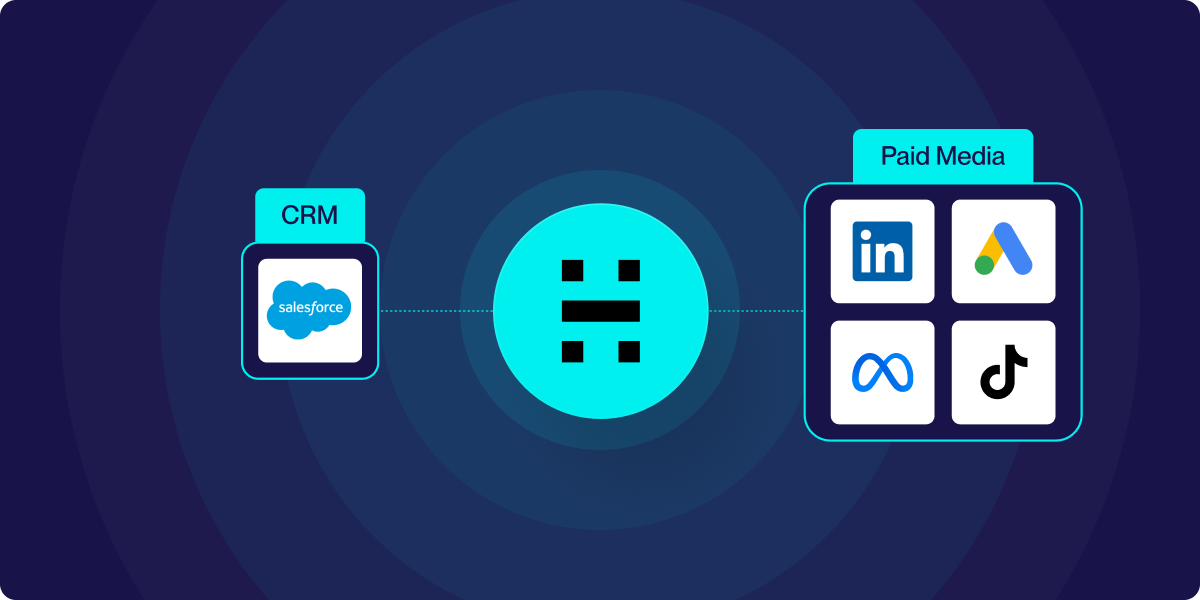
top wasting ad spend on existing customers and unqualified leads. Heeet's Audience Activation syncs your Salesforce data to Google, Facebook & LinkedIn and more in real time.
_%20How%20to%20calculate%20it%20%26%20why%20it%20is%20important.png)
Customer Acquisition Cost (CAC): How to calculate it & why it is important
Customer Acquisition Cost (CAC) is a key metric that helps businesses evaluate the efficiency of their marketing and sales strategies. It represents the total cost of acquiring a new customer, including marketing spend, sales efforts, and other associated expenses
The Ultimate Guide to Salesforce Marketing Attribution in 2025
If you're a marketer using Salesforce, you know how challenging it can be to connect your campaigns to actual revenue
.svg)
Ready to track prospects from lead to close with Heeet?
Heeet gives marketers and sales professionals at IT & Security firms turn geuss work intro informed decisions that drive revenue while meeting the same secruity technical standards you provide your clients.