

Read time :
Cookieless B2B Tracking: How Heeet Works and How It Compares to 6 Alternatives
If you’re evaluating the cookieless B2B tracking solutions of multi-touch attribution tools right now, methodology is probably the question you’re dancing around.


You’ve seen the demos. Everyone claims to give you a “complete picture of the buyer journey.” But how do they actually capture that data, where does it live, and what privacy trade-offs do they make? That rarely makes it into the deck.
This article directly answers those technical questions. You’ll learn how Heeet tracks leads without cookies, and how its approach stacks up against Dreamdata, HockeyStack, Ruler Analytics, CaliberMind, Funnel.io, and GA Connector. If you’re in Marketing Ops and looking for a technical, in-depth comparison, this guide delivers exactly that.
How Does Cookieless B2B Tracking Work?
Cookieless B2B tracking captures visitor touchpoints, identifies leads, and attributes revenue to marketing channels without storing any cookie-based identifiers in the browser. Instead of relying on a cookie file that can be deleted, blocked by a browser, or refused via a consent banner, cookieless systems identify visitors and their sessions through other mechanisms: form submission data, UTM parameters, CRM record matching, server-side signals (data sent from website servers), or device fingerprinting (using device characteristics to recognize users).
Any team relying on cookies today knows they’re on the way out, however slowly it happens. They also know that cookies aren’t suited to the average B2B buying cycle, which spans six to twelve months. A cookie that expires in 30 days, or a visitor who declines consent, doesn’t just create a data gap. It erases entire chapters of your attribution story.
How Does Heeet Track Leads Without Cookies?
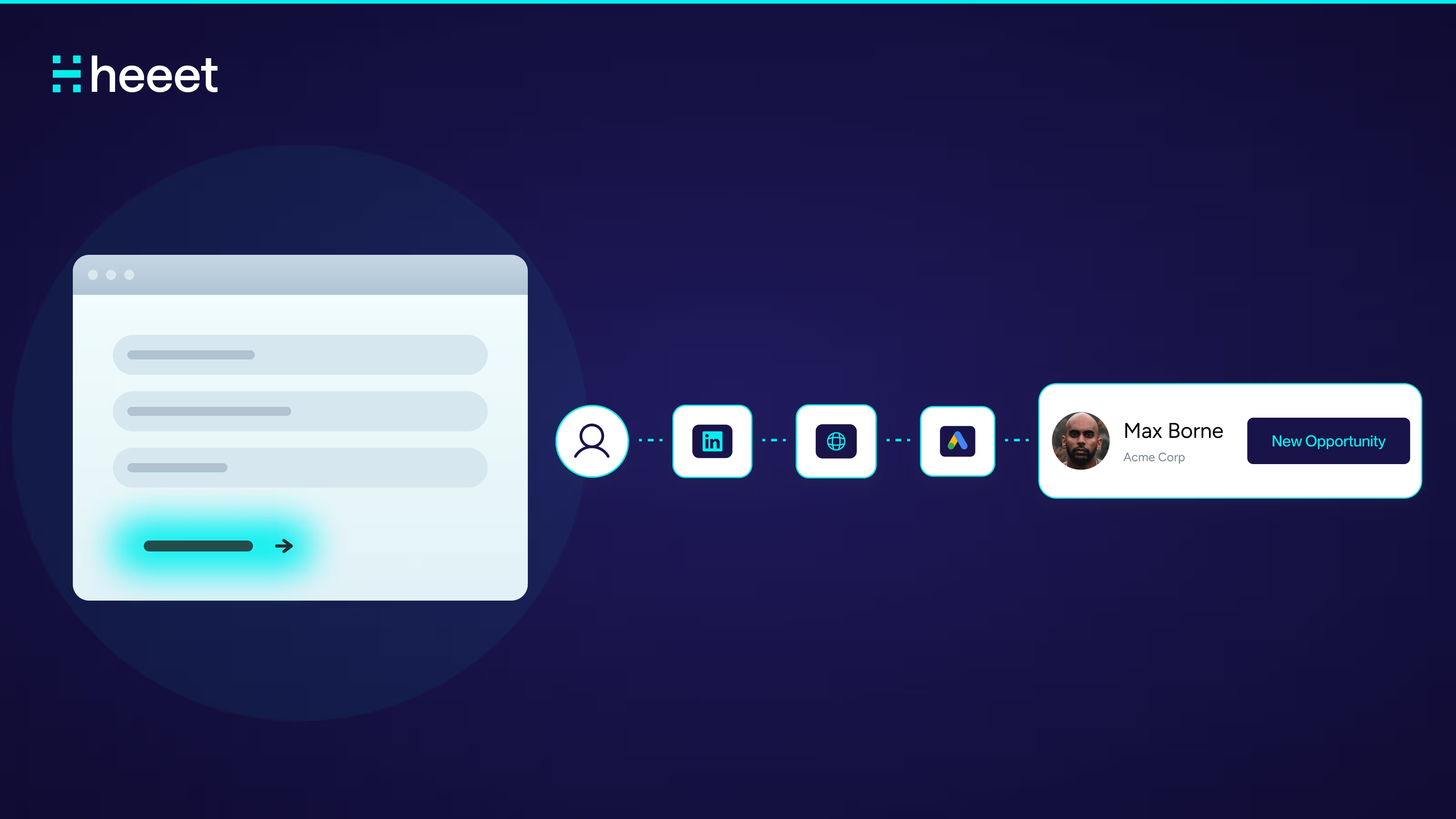
Heeet uses a lightweight JavaScript SDK installed in the <head> of your website to track interactions to ensure accurate multi-touch attribution. When a visitor lands on your site, the SDK calls Heeet.trackVisit() to log the visit. When a visitor completes a form, Heeet.trackForm() fires and injects Heeet’s tracking data directly into the form submission. That data, which includes UTM parameters, referring source, page path, and session context, travels with the form data straight into Salesforce or HubSpot as a native CRM record.
There are no cookies. No unique visitor IDs are stored in the browser. No fingerprinting. No third-party server that touches or processes the data between the visitor and the CRM.
The mechanism is event-driven and conversion-triggered. The tracking script sits in the browser and observes engagement, but only writes data to your CRM at the moment of a conversion event, such as a form fill, a GTM event, or a GA4 event. Before conversion, the browsing data stays local. After conversion, it gets attached directly to the lead or contact record in Salesforce or HubSpot as a native object.
This is important: Heeet does not store, process, or host any of your visitor data on its own infrastructure. Heeet does not have any access to your Salesforce data and does not store any personal data. It is fully GDPR compliant because it does not track, store, or assign any unique ID to online prospects.
The SDK also supports Heeet.trackGTMEvents() and Heeet.trackGAEvents(), which means you can capture custom conversion events from Google Tag Manager or GA4 and pass them into the same attribution framework without separate tooling.
Ad platform data, including spend (how much you paid), impressions (number of times ads are shown), clicks (how often ads are clicked), and CPC (cost per click) from Google Ads, LinkedIn, Meta, Bing, TikTok, and Reddit, syncs hourly directly into the CRM. Combined with the JS-captured touchpoints (interactions logged by JavaScript), this gives your revenue team a full channel-to-close picture (from first contact to deal close) inside Salesforce or HubSpot reports, with no external dashboard required.
Competitor Comparison Table
Dreamdata
Dreamdata assigns a unique ID via JavaScript and first-party cookies, restoring IDs from local storage if cookies are deleted. After a visitor submits a form, all previous activity links to their profile.
Dreamdata's IP-to-company engine identifies up to 80% of visiting companies at the account level, not the individual level.
Dreamdata avoids fingerprinting due to technical unreliability and compliance risks. Browsers frequently block or randomize fingerprinting, making it inaccurate.
The tradeoff is that Dreamdata is compliant and avoids fingerprinting, but it does rely on first-party cookies. If a visitor declines consent or uses a browser with aggressive cookie blocking, their pre-conversion journey isn’t captured. Attribution data also lives in Dreamdata’s own platform, not natively inside your CRM. Your sales team reports in one place; your attribution lives in another.
HockeyStack
HockeyStack’s approach to cookieless tracking is built on server-side fingerprinting. Although it can’t disclose all details, it uses a server-generated fingerprint hashed with SHA-256 and a unique salt, so it's impossible to obtain the original data from the fingerprint. HockeyStack does not store IP addresses or other PII to create this fingerprint.
HockeyStack defaults to cookieless fingerprinting with an option for cookie-based tracking.
The fingerprinting model gives HockeyStack genuine pre-identification tracking. It can see what anonymous visitors do before they fill out a form, which matters in B2B, where significant research happens months before a conversion event.
The tradeoff is that fingerprinting is controversial from a compliance perspective. Browser fingerprinting is considered personal data processing under the GDPR in most jurisdictions. HockeyStack argues that it hashes all data and stores no PII, but your legal team may still require consent banners that specifically flag fingerprinting. In enterprise B2B environments with strict IT governance, this requires vetting. Attribution data also lives in HockeyStack’s own platform, not in your CRM.
Ruler Analytics
Ruler Analytics uses first-party cookies as its primary tracking mechanism. When a user visits your website for the first time, Ruler will assign a unique identifier to their session. Every time this user returns, Ruler’s code fires and automatically associates that visitor with their previous sessions, creating a cross-channel journey.
Ruler works by tracking every visitor to your website using first-party cookies. It collates session and marketing data to individual users to create a database of engagements. When that website visitor converts, Ruler fires all of the data it holds to your CRM.
Ruler uses UTM parameters and click IDs to fill gaps, especially for channels without cookies or user IDs.
The tradeoff is that Ruler is purpose-built for B2B lead tracking with strong CRM integrations, but it’s fundamentally cookie-dependent. It uses first-party cookies, which are more durable than third-party cookies, but still subject to Safari and Firefox restrictions and user opt-out. Data lives on Ruler’s servers and syncs to your CRM via API, meaning there’s an external layer between your website events and your revenue data.
CaliberMind
CaliberMind offers two distinct tracking modes, allowing you to choose based on your compliance requirements. Depending on how you choose to track, they offer traditional cookie-based or cookieless fingerprint tracking, and claim to record engagement across browsers, devices and sessions without jeopardizing GDPR or CCPA compliance.
Fingerprinting is opt-in and provides extended cross-browser, cross-session attribution when enabled.
CaliberMind advises obtaining legal advice before enabling fingerprinting within regions regulated by the GDPR or CCPA.
The tradeoff is that the flexibility to toggle tracking methods by region is genuinely useful for global teams. But the default still relies on cookies, fingerprinting requires legal review, and all data flows through CaliberMind’s infrastructure. Like most attribution tools in this category, it requires a separate platform login in addition to your CRM login.
Funnel.io
Funnel.io is a different tool category. It’s a marketing data pipeline, not a traditional visitor-tracking or attribution platform. Funnel is a data aggregation and transformation tool that helps marketing teams collect, normalize, and export advertising and campaign data to BI tools, warehouses, or spreadsheets. Although powerful as a data pipeline, it lacks the attribution intelligence and funnel-level insights required for B2B revenue teams to make strategic decisions. It does not connect touchpoints to pipeline or revenue.
Funnel pulls data from ad platform APIs, including Google Ads, LinkedIn, Meta, and others, normalizes it, and routes it to destinations like BigQuery, Snowflake, Looker, or Tableau. There’s no JavaScript tracking script on your website. Funnel’s advanced measurement model combines marketing mix modelling, attribution, and incrementality testing. But this is modelled attribution, not deterministic visitor-level tracking tied to individual leads.
The tradeoff is that Funnel.io is excellent at what it does: consolidating paid media data. If your team needs clean, normalized ad spend data in a data warehouse, it’s a strong choice. For B2B teams that need to attribute revenue to specific contacts and opportunities in their CRM, it’s not the right fit without considerable additional tooling.
GA Connector
GA Connector takes a different approach: it connects Google Analytics attribution data into your CRM. GA Connector is a tool you integrate into your website that tracks where visitors are coming from and writes this data into hidden fields added to your forms, which are then captured in your CRM.
The tracking itself is cookie-based. The script added to your website from the Install section collects tracking information about your web visitors and stores it in browser cookies. GA Connector relies on GA’s own cookie infrastructure, including GA Client ID and Session ID, to match visitors to form submissions.
The current version doesn’t actually use the Google Analytics API to populate CRM fields. Instead, it uses a proprietary tracking approach inspired by how Google Analytics processes and attributes data. It also uses UTM parameters, referral information, and IP data to determine the source.
The tradeoff is that GA Connector solves a specific problem well: it gets GA source data into your CRM fields at the moment of lead creation. But it’s inherently connected to Google Analytics and its cookie infrastructure. It’s single-touch by default (capturing first or last source), not a full multi-touch attribution system. For teams with complex attribution needs, it’s a starting point, not a complete solution.
Where Does Heeet Stand Apart?
If you’ve read this far, the pattern is clear. Most tools in this category make compromises between tracking completeness and privacy compliance. Some use fingerprinting to improve coverage. Some rely on first-party cookies that are more compliant but still degrade under consent restrictions. Others give up on visitor-level tracking entirely and model it statistically.
Heeet’s architecture takes a different position entirely.
No cookies. The JavaScript SDK never stores a cookie or a unique visitor ID in the browser. There’s no identifier to block, delete, or refuse consent on.
No fingerprinting. Heeet doesn’t collect or synthesize browser attributes into a user profile. This means zero exposure to the GDPR classification issue that fingerprinting triggers.
No external data layer. When a visitor converts, and their data is imported into your CRM, it is imported directly into Salesforce or HubSpot as a native object. Heeet doesn’t host, process, or warehouse your attribution data. Your data never passes through Heeet’s servers. It lives only in the CRM you already own and manage.
CRM-native, not CRM-synced. This is the distinction that matters most for Marketing Ops teams. Most attribution platforms sync data to your CRM through an API after processing it elsewhere. Heeet writes directly to native CRM objects, meaning your attribution data sits alongside deals, contacts, and campaigns in the same system your sales team already uses. No separate dashboard. No toggling between platforms. No data reconciliation.
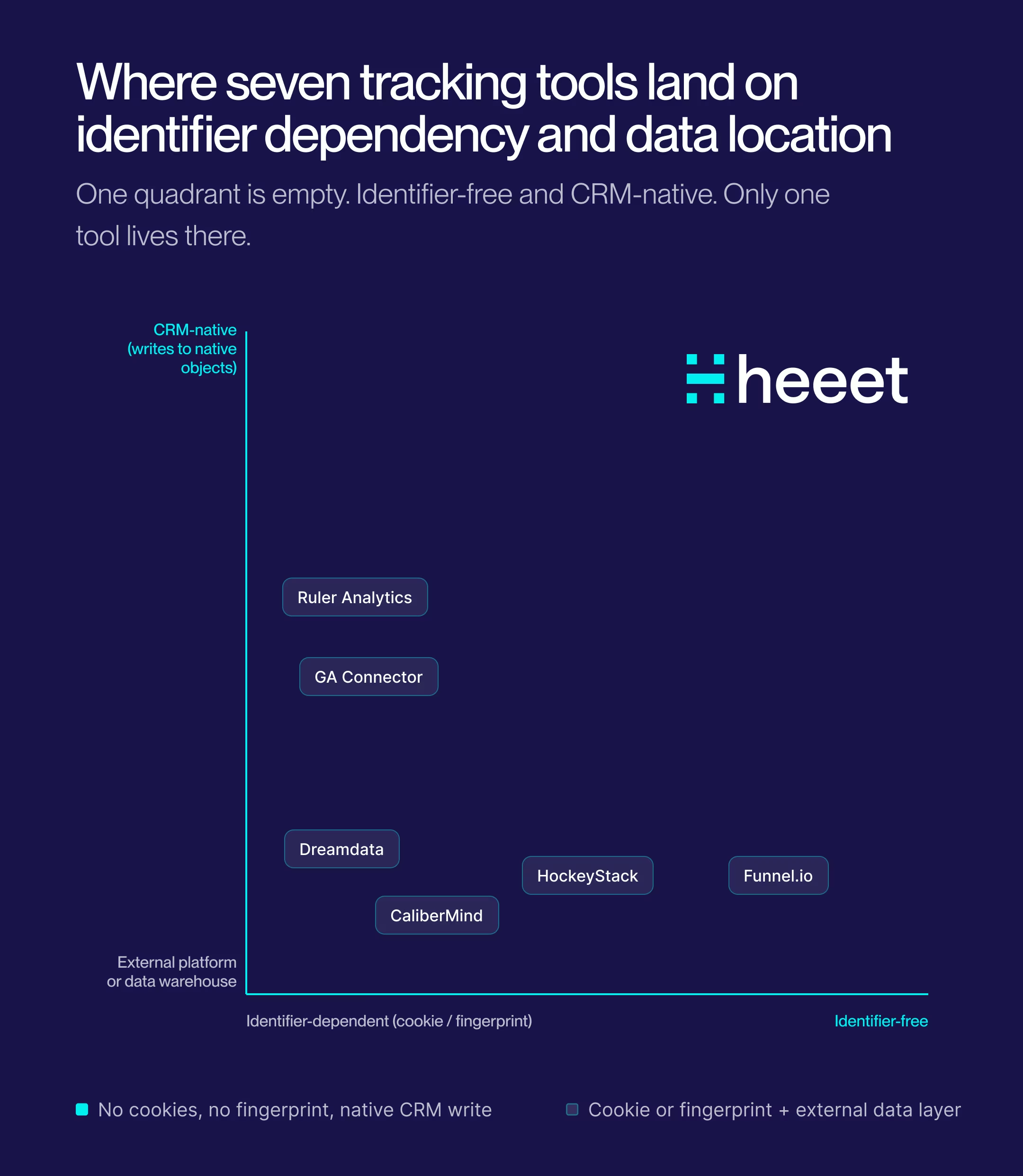
This approach means Heeet’s attribution never degrades. If a visitor declines cookies, nothing changes. If Chrome changes its tracking policies, nothing changes. If a visitor uses Safari with ITP enabled, nothing changes. The tracking is based on what happens at the moment of conversion, not on maintaining a persistent identifier through a long anonymous browsing session.
For Marketing Ops teams under pressure to justify spend, prove pipeline influence, and stay ahead of compliance requirements, that’s not simply a nice-to-have. It is an architecture that will not need to be rebuilt as browser policies shift.
Ready to see how Heeet works inside your Salesforce or HubSpot environment? Book a demo, and we’ll show you exactly how cookieless attribution connects your marketing to revenue.
Other articles
Cookieless Attribution for B2B: Complete Guide to Track Revenue in 2027
Learn how to implement cookieless attribution for B2B marketing. Master first-party data, server-side tracking, and CRM integration to prove marketing ROI despite privacy changes and long sales cycles.

Salesforce UTM Tracking : How to do it in 2027
Track UTM parameters in Salesforce Web-to-Lead forms. Capture every touchpoint and use Heeet for full multi-touch attribution to revenue
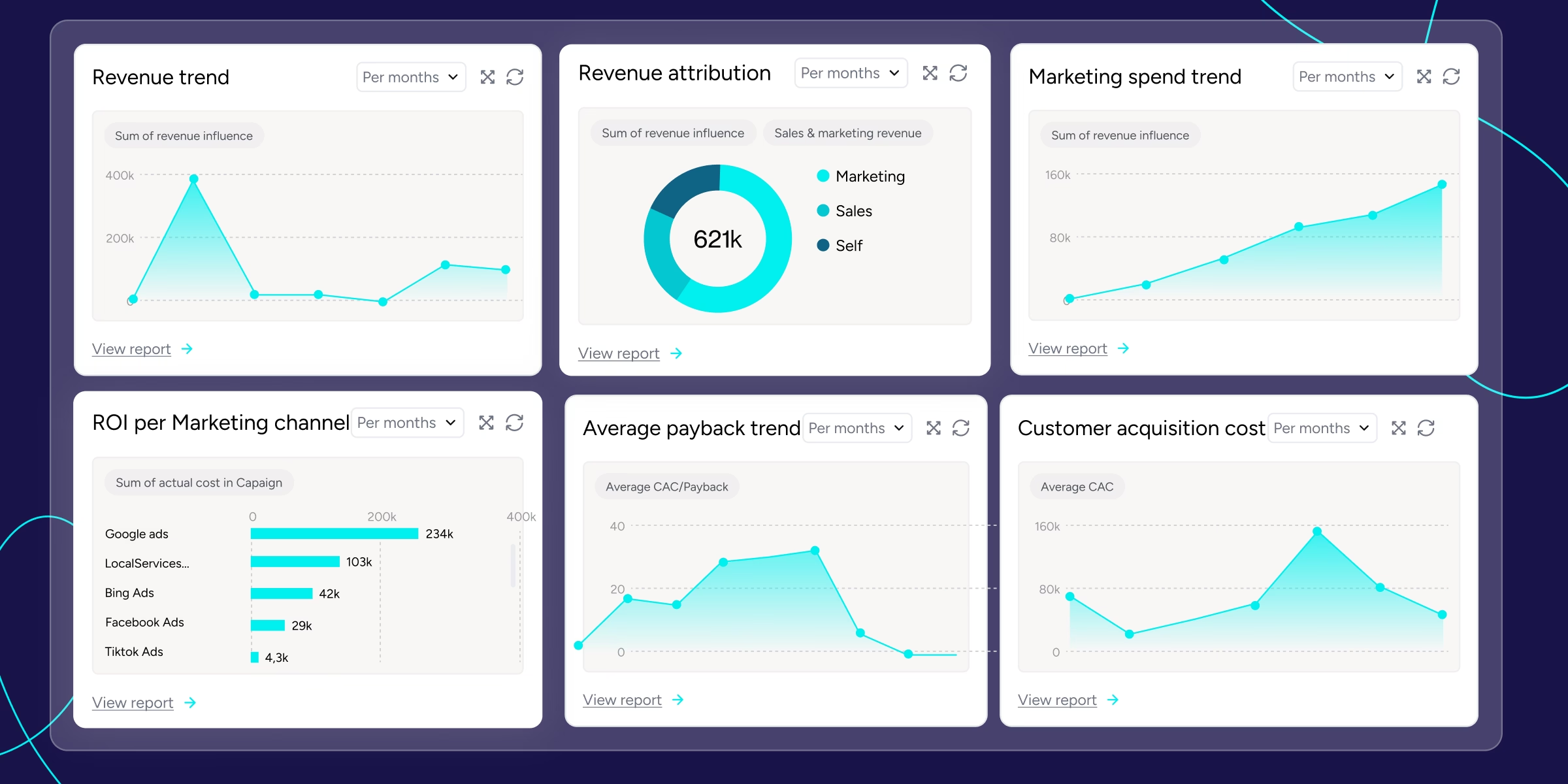
B2B SaaS Revenue Metrics That Align Marketing & Sales
Learn the B2B SaaS revenue metrics that align marketing and sales: ARR, CAC, pipeline velocity, retention, and multi-touch attribution.
.svg)
Ready to track prospects from lead to close with Heeet?
Heeet gives marketers and sales professionals at IT & Security firms turn geuss work intro informed decisions that drive revenue while meeting the same secruity technical standards you provide your clients.