

Read time :
Marketing budget allocation by cost per pipeline-influenced opportunity
Marketing budget allocation on the right denominator: Claude reads campaign cost and pipeline from Salesforce, tests it under two models and writes the log.



Last updated: 20 October 2026
"I used to hate Performance Max and think it was terrible until I really saw it was getting the best returns out of all the campaign types."
Carl Kiessig is Senior Marketing Automations Specialist at Red & Yellow, a business school whose enrolment cycles run from six months to five years. He said that after Heeet put return on ad spend by campaign type into Salesforce, next to the enrolments each campaign had produced. Budget moved into Performance Max. Paid-advertising enrolments rose 26% year over year, and the paid lead conversion rate went from 2.8% to 4.1%. Two years on, the school had doubled its paid enrolments on roughly 8% more budget.
Marketing budget allocation usually runs on the wrong denominator: leads or clicks, because those are the numbers the ad platforms show you. Carl changed his mind when the denominator became enrolments. On 13 April 2026, Terrance Martin at Cognite named the B2B equivalent as the one report his team had been missing: "this campaign influenced 50 opportunities worth $2 million."
This play makes that the denominator. Claude computes cost per pipeline-influenced opportunity from Salesforce once a month, tests each verdict under two attribution models, and writes a change log a human applies. About twenty minutes once the prompts are saved.
What do you need to run this play?
Paid or demand gen runs it monthly. RevOps owns the definitions. Finance gets the log.
- Heeet with your paid connectors authorised: Google Ads, LinkedIn Ads, Meta, Bing, Reddit, TikTok or ChatGPT Ads. Heeet creates the Campaigns in Salesforce and refreshes cost, impressions, clicks, CPC and daily budget every hour. Influenced leads, pipeline and closed-won revenue sit on the same Campaign record, with a monthly snapshot for trends.
- Claude Desktop or Claude Code with the Salesforce Hosted MCP server. The read-only
sobject-readsserver is enough. - Optional: Google's official Google Ads MCP server, for impression share. It's read-only, which is all this play needs.
- Optional: the Heeet Analyst Agent, for alerts between monthly runs.
What signal does this play run on?
Six fields on every Heeet-synced Campaign, plus one count. Cost to date, refreshed hourly. Net_New_Leads__c and CPL__c. Heeet_Campaign_Revenue_Influence__c, the pipeline the campaign has influenced. Heeet_Closed_Won_Revenue_Influence__c, the closed-won revenue it has influenced under your attribution model. Campaign_ROI__c. The count is the number of Opportunities with at least one Heeet influence from the campaign.
Divide cost by that count and you get cost per pipeline-influenced opportunity. Divide cost by closed-won influence and you get cost per closed-won dollar. Neither number exists inside Google Ads or Campaign Manager. Neither platform can see an Opportunity.
Since 12 October 2026, Heeet also writes four revenue figures on every Marketing Influence each night: First Touch, Last Touch, Linear and U-Shaped (40/40/20). That lets you ask a question budget meetings usually skip. Does this campaign still look bad under a different model, or only under the one we happened to pick?
Where each person sees it
| Who | Where they work | What Heeet gives them |
|---|---|---|
| Paid or demand gen manager | Claude, connected to Salesforce | Cost per influenced opportunity for every campaign, tested under two models |
| CMO and finance | Slack, or the monthly budget doc | A change log with a reason and an owner on every line |
| RevOps | The Salesforce Campaign record | The cost, pipeline and revenue fields the whole play reads |
| Whoever applies the change | Google Ads and Campaign Manager | The exact budgets to change, decided before they log in |
How do you run marketing budget allocation on pipeline?
Step 1: pull 90 days per campaign
List every Campaign with cost greater than zero in the last 90 days. For each,
return: platform (Heeet channel), cost, clicks, Net_New_Leads__c, CPL__c, the
number of Opportunities carrying a Heeet influence from this campaign,
Heeet_Campaign_Revenue_Influence__c, Heeet_Closed_Won_Revenue_Influence__c and
Campaign_ROI__c. For LinkedIn campaigns, add Accounts Reached.
Add two computed columns: cost per pipeline-influenced Opportunity, and cost
per closed-won dollar. Then give me the median of both for the whole account,
and the median per platform.
Expected output: one row per campaign, sorted by spend, with the medians at the bottom. Most mid-market accounts land between 20 and 80 rows.
Step 2: add what the platform knows and Salesforce doesn't
With the Google Ads MCP connected:
For the Google Ads campaigns in that table, run a GAQL query for the same 90
days returning search_impression_share,
search_budget_lost_impression_share and search_rank_lost_impression_share.
Join them to the table by campaign name.
Now a cheap campaign losing 40% of its impressions to budget looks different from a cheap campaign that has run out of demand.
Step 3: test every verdict under two models
Using the revenue fields on Heeet's Marketing Influence records, recompute
cost per closed-won dollar for each campaign under the Linear model and under
the U-Shaped model. Flag every campaign that sits above twice the account
median under one model but not the other.
This is the step that keeps a budget meeting honest. A campaign that looks expensive under both models is expensive. One that only looks expensive under first touch is probably doing mid-funnel work your model doesn't credit. Hold it, and don't argue about it.
Step 4: classify
Classify every campaign as SCALE, HOLD or CUT, and show the rule that fired:
- SCALE: cost per pipeline-influenced Opportunity below the account median,
  and budget-lost impression share above 20%.
- CUT: cost per pipeline-influenced Opportunity above twice the account median
  for the full 90 days, above twice the median under both models in Step 3,
  and at least [your threshold] in spend.
- HOLD: everything else, including any campaign younger than 60 days and any
  campaign flagged in Step 3.
LinkedIn needs one more look before anything is cut. Open the Campaign's Accounts Reached figure and the ad exposure rows on the Accounts it reached. If it's an ABM campaign whose job is to keep open deals warm, judge it with Play 15 instead. Exposure is context here. Heeet never attributes revenue to an impression, and neither should this log.
Step 5: write the change log
For every SCALE and CUT row, write one line: campaign, action, budget from and
to (SCALE adds 20%, CUT pauses), the number that justified it, and an owner.
Sum the net budget change. Format it as a table I can paste into Slack.
A human applies the changes in Google Ads and Campaign Manager. Google's official MCP can't change a bid or pause a campaign, and LinkedIn has no official MCP at all. That suits a budget decision. A change this size should carry a person's name.
Step 6: watch it between runs
The Heeet Analyst Agent sends alerts on CPL increases, CAC spikes and budget depletion to Salesforce and Slack, so turn those on for every SCALE campaign. For the 2x-median rule itself, schedule Claude to re-run Steps 1 and 4 on the 15th and post only the campaigns whose class changed.
Step 7: compare next month against the snapshot
Heeet stores a monthly snapshot of campaign performance. Next month, ask Claude for the change per campaign since the log. It's the only honest way to know whether the reallocation worked.
When do you cut a campaign that still delivers leads?
When its cost per pipeline-influenced opportunity has sat above twice the account median for 60 consecutive days, under two attribution models, after enough spend to judge it. Not before. B2B lag is real. Red & Yellow's cycles run to five years, and Heeet's account-level window means a click in March can attach to an Opportunity opened in July. A campaign judged on 30 days of pipeline data is being judged on noise.
The other half of the rule is what you never cut on. Leads. A campaign with a low CPL and no influenced pipeline is buying the wrong people at a good price.
A marketing operations lead at a global communications platform running around 100 Google Ads accounts put the stakes plainly on a call in January 2026: if the company is spending hundreds of thousands of dollars a month on an ad, it wants to know it works. Terrance Martin's report answers that question per campaign. The rule above decides what to do with the answer.
Why does the denominator change the decision?
Ad platforms optimise toward whatever conversion you feed them, and most B2B accounts feed them form fills. Reallocating on pipeline-influenced opportunities moves your own decisions to the denominator the platform can't see. Send closed-won revenue back as offline conversions (Play 10) and the two systems start pulling in the same direction. Russell at Nel described where that ends up: tracing million-dollar opportunities back to a specific Google ad the team placed.
How do you make it recurring?
First Tuesday of the month, 20 minutes, log posted to Slack and sent to finance. Alerts running in between. Once a quarter, re-baseline the medians and revisit the CUT threshold. A good quarter drags the median down and starts flagging campaigns that were fine.
Related
- Plays: Stop paying to acquire your own customers with Google Ads suppression (Play 9) · Send revenue-based conversions back to Google Ads (Play 10) · Run ABM on LinkedIn from Salesforce deal fields (Play 15) · Build the marketing QBR number Claude can defend (Play 21)
- Features: Paid Ads ROI · Advanced CPL and CAC analysis · Multi-touch tracking and attribution · Analyst Agent
- Connectors: Google Ads · LinkedIn
- Reading: How to measure and maximise paid ads ROI in 2026 · Google Ads attribution for B2B · Red & Yellow case study
FAQ
Why pipeline-influenced rather than pipeline-sourced?
A B2B deal has several touches, and the sourcing touch is often the cheapest one. Influence counts every campaign in an Opportunity's journey under your attribution model, which is the number a CFO can reconcile to closed-won.
Which attribution model should the budget decision use?
Two, and they should disagree as little as possible. Step 3 compares Linear and U-Shaped. Cut only what fails under both, and hold what only one model dislikes.
Can Claude change the budgets itself?
Not through the official servers. Google's Google Ads MCP is read-only and LinkedIn has none. Claude writes the log; you apply it. Third-party servers with write access exist, and we'd still keep the human step.
What about event and webinar campaigns with no synced cost?
They show up with a cost of zero and break the ratio. Enter event spend on the Campaign record, or leave campaign types without cost out of Step 1 until you do. Two prospects in our demo notes this year named unentered event spend as the reason they couldn't judge event ROI.
How much history do I need before the first run?
Ninety days of synced cost and at least a couple of dozen influenced Opportunities. Below that, the medians move too much to act on.
Other articles

Weekly Marketing Report in Slack by Claude From Salesforce
A weekly marketing report both teams trust: Claude reads pipeline created and influenced, spend, CPL and closed deals from Salesforce, then posts to Slack.

Content Attribution: Closed-Won Pages to an AirOps Brief
Content attribution in Salesforce shows which pages appear in closed-won journeys. Claude turns the gaps into five briefs and AirOps produces the drafts.
Salesforce Attribution Audit Before You Connect Claude
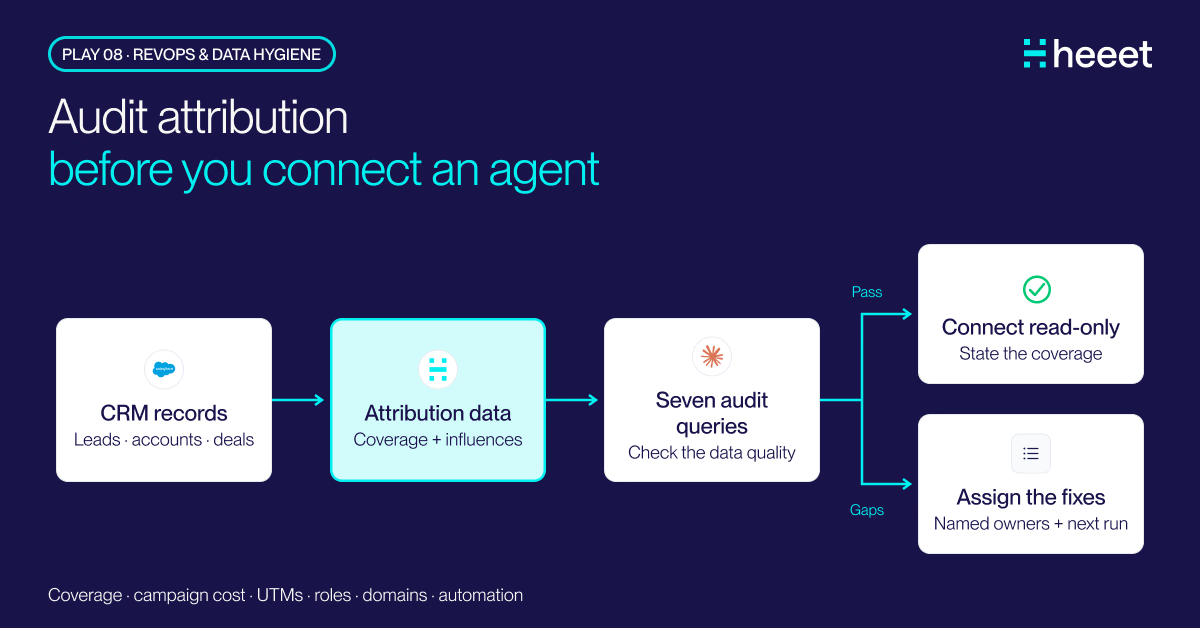
A Salesforce attribution audit in seven Claude queries: missing first-touch data, campaigns without cost, UTM variants, blank domains, missing Contact Roles.
.svg)
Ready to track prospects from lead to close with Heeet?
Heeet gives marketers and sales professionals at IT & Security firms turn geuss work intro informed decisions that drive revenue while meeting the same secruity technical standards you provide your clients.