

Read time :
Claude for sales: a pre-call brief with the full buyer journey
Claude for sales preps the call from CRM data. One more prompt adds the buyer journey Heeet writes to the same records, for the whole buying committee.



Last updated: 20 October 2026
Thirty-seven.
That's how many prebuilt sales skills come with Salesforce in Claude, the plugin Salesforce built after it and Anthropic announced Claudeforce on 26 August 2026. It's the most complete version of Claude for sales so far, in beta since 15 September. Ask it to prep tomorrow's meeting and you get the account history, the open Opportunity, the last activities and the people attached to the deal. Everything the CRM knows about the relationship.
Nothing about how it started. The webinar your prospect attended in June, the pricing page she opened twice last week, the search query that began all of it: none of that lives in a Sales Cloud object, so none of it reaches the brief.
Heeet writes those touches onto the same Lead, Contact, Account and Opportunity records that call prep already reads, and Lead Intelligence summarises them person by person on the record. This play adds one level up: a single brief for the whole buying committee on tomorrow's deal, merged with what call prep returns, before anyone dials in.
What do you need to run this play?
The rep runs it the afternoon before the call. About ten minutes the first time, two once the prompt is saved.
- Heeet installed, with journeys and influences on your records, and Lead Intelligence on your page layouts.
- Claude connected to Salesforce. Salesforce in Claude gives you the packaged call prep skill, if your organisation is in the beta. Otherwise use Claude Desktop or Claude Code with the Salesforce Hosted MCP server; the read-only
sobject-readsserver covers the brief. - Optional: a Slack channel per deal, if your team runs them.
What does Heeet add that call prep can't see?
Everything the buyer did before and around the sales conversation, written on the records Claude already reads.
On each Lead and Contact, Heeet stores the first and last click: channel, campaign, source, ad group, and the exact search query where there was one. Between those sit the influence records. Pages viewed. Documents downloaded, LinkedIn posts engaged with, ads clicked and what the campaign cost. Post-acquisition touches count too, like a webinar attended while the Opportunity was already open. Heeet also ingests standard Salesforce Calls, Tasks and Events as sales-driven influences, so the brief can show the balance of marketing touches against sales touches.
One detail matters for enterprise deals. Romain Blanc's standard demo line, in a session on 13 April 2026, was that the buying committee is always bigger than the Contact Roles on the Opportunity. Heeet attaches influence at the Account level within the Opportunity window and keeps it attributable to each person. The colleague who downloaded the security brief but was never added to the deal still shows up.
Lead Intelligence reads the same journey and writes a short summary on the record, with a recommended next step and talking points. That covers one person. Tomorrow's call has four people on it and a deal attached, which is where Claude comes in.
Where each person sees it
| Who | Where they work | What Heeet gives them |
|---|---|---|
| AE preparing the call | Claude, connected to Salesforce | One brief: call prep plus the committee's journey and three questions to ask |
| Same AE, on the record | The Salesforce Lead, Contact or Account | Lead Intelligence: each person's summary, next step and talking points |
| Sales manager or SE | The deal's Slack channel | The brief, posted the afternoon before |
| Marketing | Heeet reports in Salesforce | The logged call, counted as a sales touch on the next brief |
How do you build a pre-call brief with Claude for sales?
Step 1: run call prep, or pull the CRM half yourself
In Salesforce in Claude, ask it to prep tomorrow's meeting on the Opportunity. Without the plugin, ask Claude for the Opportunity, its Account, the Contacts and Contact Roles, and the last 20 Activities. Either way you now have the seller's view.
Step 2: add the marketing half
Now add what marketing knows about this deal. Using Heeet's records on this
Account, its Contacts and this Opportunity (run get_object_schema on the
influence object first so you use the right field names), give me in date
order:
- the first-click channel, campaign and exact search query for each Contact
- every content influence: pages viewed and documents downloaded, with dates
- every webinar or event attended, with the campaign's cost
- every LinkedIn organic influence: which post, which person
- every ad click, with the campaign
- the sales-driven influences (calls, meetings, emails), so I can see the
  balance of marketing and sales touches
Mark every person on this list who has no Contact Role on the Opportunity.
Expected output: a dated list of 10 to 40 touches for a mid-market deal, with two or three names the rep didn't know were involved.
Step 3: check it against the record
Open the Account in Salesforce and read the Lead Intelligence summary for the most engaged person on the list. The pages, the webinar and the next step should match what Claude returned. If they don't, trust the record and re-run Step 2 with the field names from the schema.
Two minutes. It also tells you which talking points Heeet already flagged for that person, so you don't write them twice.
Step 4: shape the brief
Turn this into a one-page brief with five sections: How they found us. What
they've read. Who else at the account is engaged. Three questions worth asking
tomorrow. One thing not to pitch, because they've already read it.
Keep every claim tied to a record. No adjectives.
Step 5: send it where the rep will read it
Post the brief to the deal's Slack channel, or paste it into the meeting notes on the Opportunity so it stays on the record.
Step 6: log the call
After the meeting, log it from Salesforce in Claude or in Salesforce directly. The Event becomes a sales-driven influence in Heeet, and the next brief on this account counts today's call in the balance of touches.
What should the rep do with a pricing-page visit?
Lead with the objection it implies. Ringover's case study found that 33% of leads who visited its pricing page went on to become sales opportunities. A pricing visit in the last 14 days means the buyer is already doing the maths, and a security or comparison page means procurement is doing the same. If someone attended a webinar, reference the session instead of re-explaining it. An engaged contact with no Contact Role makes the first question of the call about her.
Zero marketing touches means a sales-sourced deal. The brief should say so plainly rather than invent a story.
In a demo this spring, a marketing lead at an automotive software company described the opposite failure to us: Opportunities created by an outbound motion showed no marketing attribution at all, even when the buyer had filled in a form months earlier. Account-level influence fixes that case too. The brief shows the marketing half of a deal sales thinks it sourced alone.
Why does the buyer journey change the call?
Reps prepare from what the rep did. Buyers remember what the buyer did. Nel's case study describes prospects visiting the company's resources page several times before ever submitting a form, and a rep who knows which pages, in which order, walks in a step ahead of discovery. The brief also retires the politest question in B2B sales, "tell me a bit about what brought you here", which the buyer already answered in your own web logs.
How do you make it recurring?
Schedule Claude to build the brief at 17:00 for every meeting on tomorrow's calendar linked to an Opportunity, and post each one to its deal channel. Once a quarter, ask your best two AEs which section they skip, and cut it.
Related
- Plays: Warm outbound to LinkedIn engagers (Play 1) · Triage inbound leads before routing them (Play 12) · Map the buying committee and fix Contact Roles (Play 18)
- Features: Lead Intelligence · Customer Journeys · Multi-touch tracking and attribution · Exact Search Query · LinkedIn Engagement
- Help centre: How to add Heeet data to your Salesforce layouts
- Reading: Analyze the sales and marketing journey in Salesforce · Introducing Buyer Journey Analytics
FAQ
Does Salesforce in Claude see Heeet data automatically?
It can read it, because Heeet's fields and influence records live on standard Salesforce objects and Claude reads records under your permissions. Call prep won't ask for them on its own, which is why Step 2 exists.
Isn't this what Lead Intelligence already does?
Lead Intelligence briefs one person on their record. This play briefs a whole buying committee on one Opportunity, merged with the CRM view call prep returns. Use both: the summary on the record and the brief before the call.
Do I need the Salesforce in Claude plugin?
No. The plugin is in beta for organisations Salesforce approves. Claude Desktop or Claude Code with the Salesforce Hosted MCP server runs every step with a prompt.
Can a rep see something they shouldn't?
No. The Salesforce Hosted MCP server runs as the signed-in user. Profiles, permission sets, sharing rules and field-level security all apply.
Does this work on HubSpot?
The HubSpot version of this play arrives in January 2027. Heeet writes the same journey onto HubSpot records.
Other articles

Warm Outbound to LinkedIn Engagers Already in Your Salesforce
A warm outbound play: find the LinkedIn engagers already in Salesforce, read their journey, write from the post they engaged with and retarget the quiet ones.

Closed-Lost Reactivation the Moment a Lost Deal Comes Back
Closed-lost reactivation on a real signal: Heeet writes the return visit onto the Contact, Claude reads the loss reason, lemlist sends the follow-up.
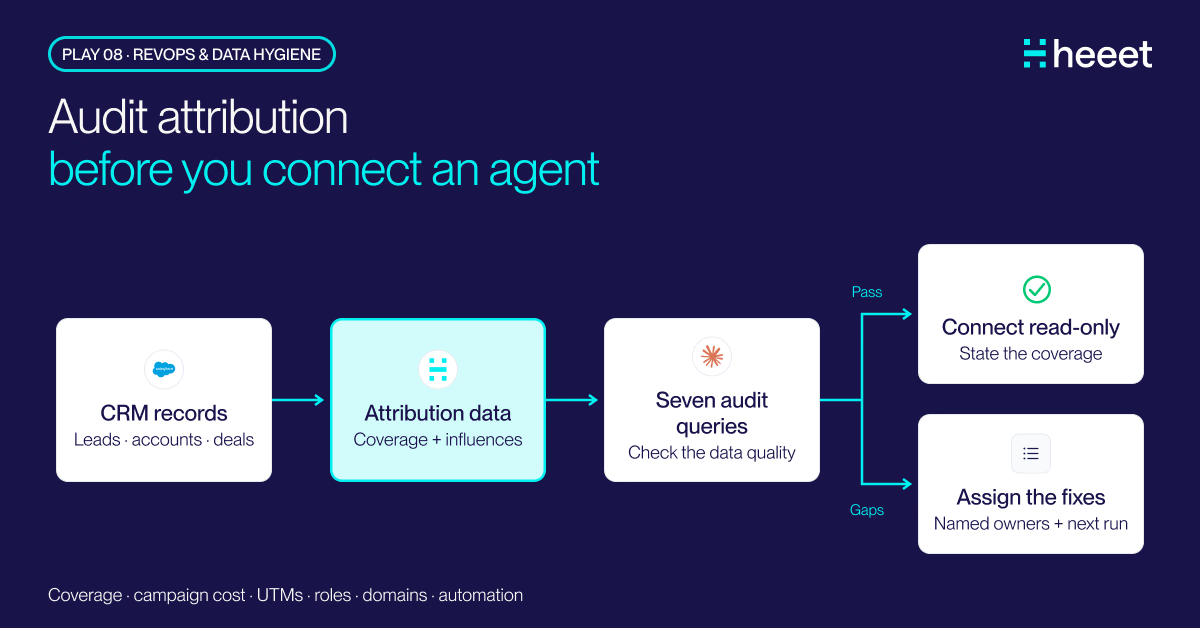
Salesforce Attribution Audit Before You Connect Claude
A Salesforce attribution audit in seven Claude queries: missing first-touch data, campaigns without cost, UTM variants, blank domains, missing Contact Roles.
.svg)
Ready to track prospects from lead to close with Heeet?
Heeet gives marketers and sales professionals at IT & Security firms turn geuss work intro informed decisions that drive revenue while meeting the same secruity technical standards you provide your clients.