
Read time :
Best Multi-Touch Marketing Attribution for Salesforce: How to choose the right setup for your data
Every "best of" list ranks tools by how many logos fit in a table, and places the brand's own solution at the top. You can usually spot the winner by paragraph two. This guide works differently. The idea is to let you decide, on your own, which solution is the best fit for your Salesforce org and your company.



Instead of crowning a winner, we compare your real options considering one question: where does your attribution data live?
This article isn't just about which platform has the most models and latest AI features; they all provide ample coverage for B2B businesses scaling spend and, in one way or another, looking to implement AI. The article focuses on what Salesforce already offers and compares that to other solutions providing attribution and revenue numbers without turning your CRM into another system sending data to another tool.
The methodology behind the comparison below
We scored options based on seven dimensions:
- Where your attribution data lives
- the attribution models available
- whether it works at lead, opportunity, or account level
- whether it captures cookieless web and offline touchpoints
- the Salesforce edition or licence each solution needs
- how long it takes to produce a first report
- and finally price
Those dimensions matter more than a raw feature count, because for many Salesforce teams with security constraints the deciding factor is whether the revenue number lives in the CRM.
A note on pricing. It’s always tricky to compare and is rarely available from the service provider; what is listed below was checked in August 2026. When pricing is clearly stated, we cite the figure. Where pricing is quote-only, we say so and use third-party marketplaces (Vendr, TrustRadius, G2) as labelled estimates, never as official quotes. If you want a priced quote with official pricing, you’ll have to reach out to the several providers below.
No vendor paid for placement here. Six of the eight rows in the decision table below point you to a tool other than Heeet, the product we make. For attribution platforms beyond the Salesforce question, see our companion guide to the 15 best multi-touch attribution platforms. This article is specifically about running attribution on Salesforce.
Five questions you should be asking before choosing a multi-touch attribution solution for Salesforce
If you can't find any of the answers to the following five questions on the company’s website, don't let them gloss over it on the demo call:
- Where does the attribution model actually run, and where does the resulting data live?
- Does it write back to Salesforce Campaign Influence, or just sync a report into a field?
- Can it track anonymous web touchpoints without third-party cookies?
- How long, from signed contract to a trustworthy first report? Or what is the expected time to value?
- Who on your team owns attribution day-to-day, and does that person exist?
If a vendor can't give you specific answers regarding the first four questions, you may want to probe some more. The fifth question falls squarely on your team, and we believe you can't move forward without figuring it out.
Being aware of Salesforce’s existing attribution features
Before getting into what outside platforms and integrations can answer your attribution needs, we want to ensure you understand what Salesforce offers you without spending a penny more.
Native Salesforce attribution runs on three connected objects: Campaigns, Campaign Members, and Campaign Influence. A Campaign Member records that a lead or contact engaged with a campaign. Campaign Influence then distributes credit for an opportunity across the campaigns tied to it, using whichever model you've configured.
Salesforce ships a few models out of the box:
- Primary Campaign Source, which gives 100% of the credit to a single campaign on the opportunity.
- Even distribution, which splits credit equally across every influencing campaign.
- Customizable Campaign Influence, available on Enterprise edition and up, which lets RevOps build weighted or custom models.
On paper, Customizable Campaign Influence offers multi-touch attribution. However, in practice, it depends on a chain of manual actions that jeopardize accuracy at scale. That leaves your attribution up to someone adding the right people as Campaign Members, someone keeping campaigns clean, and someone populating Contact Roles on every opportunity. Break any link, and the report won't give you the right number to build your marketing budget on.
To get the ins and outs of just how Campaign Influence works and where teams hit a wall when scaling their marketing and sales operations, read our article covering the subject in detail.
What about Opportunity Influence?
Salesforce has a second, newer native option: Opportunity Influence, powered by Data Cloud. Instead of relying on manual Campaign Membership, it automatically reads engagement touchpoints from a contact's unified profile and links them to an opportunity, crediting activity from 30 days before the opportunity was created through to Closed/Won. It ships with first-touch and last-touch models.
It's a genuine step forward, but two limits keep it from closing the gap. It runs on Marketing Cloud engagement data, such as email, SMS, and landing pages, and it needs Data Cloud licenses to work (often Marketing Cloud too), so it's out of reach for teams that aren't already on that stack. And like Campaign Influence, it still depends on Opportunity Contact Roles and doesn't track anonymous web behaviour, so SEO, paid ads, and referral visits stay invisible unless another tool brings the data in. To get an in-depth understanding, we break down the full mechanics in our guide to Salesforce Opportunity Influence.
Where does Salesforce's out-of-the-box attribution fall short?
Campaign and Opportunity Influence are lacking in four ways: they depend on Contact Roles that may or may not be filled in, they only see what's already in Salesforce, their models are rigid, and they capture none of your web activity on their own. Each one has a high probability of leaving you with the wrong number, given the need for manual action and lack of tracking.
It only sees Salesforce campaigns
Campaign Influence measures campaigns. It can't show you the influence of the SEO article that started the journey, the direct visit, the referral, or the paid ad someone clicked three weeks before filling in a form. Those touchpoints never become Campaign Members unless something puts them there, leaving whole channels uncredited.
The models can't show you what carried deals to the finish line without the tracking
As mentioned above, customizable Campaign Influence helps, but building and maintaining weighted models by hand is real RevOps work. And none of it addresses the harder issue: Salesforce doesn't track anonymous web behaviour for you. With cookie refusal climbing and Safari and Firefox shrinking the tracking window every year, the top of the funnel gets blurrier the longer you rely on tags alone.
That's where the native setup may leave you wanting more. The basics are in place, but the missing tracking muscle is why most teams add something on top.
Lead-level, opportunity-level, or account-level: which do you actually need?
Aside from the tracking gaps in Salesforce, you'll need to also cover the manual action issue and understand how each solution logs data on the record. This is the question that decides whether a tool fits your GTM motion and account tracking. B2B deals are closed by buying committees of five to ten people, so where a tool assigns credit and logs touchpoints matters as much as which model it uses.
There are three places interactions can be stored:
- At the Lead or Contact level, where credit attaches to an individual person and their touchpoints. Ruler and Cometly work here, which suits high-volume, single-contact funnels.
- At the Opportunity level, Salesforce Campaign Influence aggregates every Contact Role on an opportunity, so a deal with six contacts pulls all six people's campaign touches into one opportunity's influence.
- At the Account level, credit rolls up across every opportunity and contact tied to an account, across multiple deals and time. This is the ABM view, and it is what several options below offer.
What are the real options for multi-touch attribution in Salesforce?
A Salesforce team has four paths to multi-touch attribution, and they differ mostly by where the work and the data end up:
- Extend native Campaign Influence. Tighten Contact Role hygiene, build a custom model, and live with the channel blind spots. This is the least expensive option in dollars, but will be the most expensive in terms of ongoing manual effort.
- Build attribution in the warehouse and send everything into Snowflake or BigQuery, where a data team handles attribution, and results are pushed to marketing and sales. It's powerful and fully custom, but it takes data experts and engineers.
- Adopt an external attribution platform. Tools like Dreamdata, CaliberMind, HockeyStack, or Ruler Analytics bring data and attribution into their own environment, giving you strong analytics and other features. In this case, your reporting home lives in another tool.
- Add a Salesforce-native attribution integration. This is where a managed package is installed. The integration then provides tracking to capture and log touchpoints and writes multi-touch results directly into Campaign Influence. Your data stays in Salesforce and works with fewer go-betweens like a data warehouse or external platform.
None of these is universally "best." The right one depends on your data maturity, your team, and how much you care about keeping one source of truth. Which brings us to the comparison.
Which Salesforce marketing attribution tools should you compare?
The tools worth comparing for a Salesforce org fall into two categories: those that keep attribution inside Salesforce, and those that run it in their own platform and sync back. Here's how the main options compare on the dimensions that change your day-to-day.
Compare on capability
Compare on fit and effort
Native Campaign Influence
It may suffice if your campaign structure is uncomplicated, your RevOps team keeps Contact Roles clean, and you don't need channel-level web attribution. It's the wrong choice the moment marketing needs to prove the influence of SEO, ads, or content it can't manually turn into Campaign Members. Tracking and the manual actions are the biggest limitations.
What you should know
- Built into Salesforce on three objects: Campaigns, Campaign Members, and Campaign Influence.
- Ships with Primary Campaign Source and Even Distribution; Customizable Campaign Influence adds weighted models on Enterprise edition and up.
- Nothing extra to buy or move, since it lives where your opportunities already do.
- Accuracy hinges entirely on Campaign Member and Contact Role hygiene, maintained by your team.
- Doesn't track anonymous web behaviour or credit non-campaign channels on its own.
Pricing
Everyone with a Salesforce license can utilize Campaign Influence regardless of the plan at no extra license cost. However, keep in mind the number of custom models varies by edition: three on Professional and Enterprise, five on Performance and Unlimited. Opportunity Influence is another option worth reviewing, but it's a separate tool that requires Enterprise or Unlimited plans plus a paid Marketing Cloud Growth or Advanced license. Those are add-ons that require a bigger budget and may include features you don’t need.
Adobe Marketo Measure (formerly Bizible)
A long-standing enterprise B2B multi-touch attribution tool that’s deeply tied to the rest of the Adobe and Marketo stack. It offers powerful models and makes perfect sense when your org is already all-in on Adobe. For a scale-up that isn't, the cost and implementation weight are hard to justify.
What you should know
- Enterprise-grade B2B multi-touch attribution, installed as a Salesforce-native package.
- Deeply integrated with the Adobe and Marketo stack, and strongest when that's your system of record.
- Offers flexible multi-touch models, including AI attribution and web tracking to go with, though setup is heavier than lighter tools.
- Backed by Adobe's roadmap and support, which matters for large, long-horizon deployments.
Pricing
There's little transparency on pricing. Coming with a custom price that requires a demand for a quote: Adobe publishes no list price, leaving interested leads to conduct research with LLMs and forums. Third-party estimates put typical contracts in the region of $20,000 to $100,000+ per year, depending on scope and bundle.
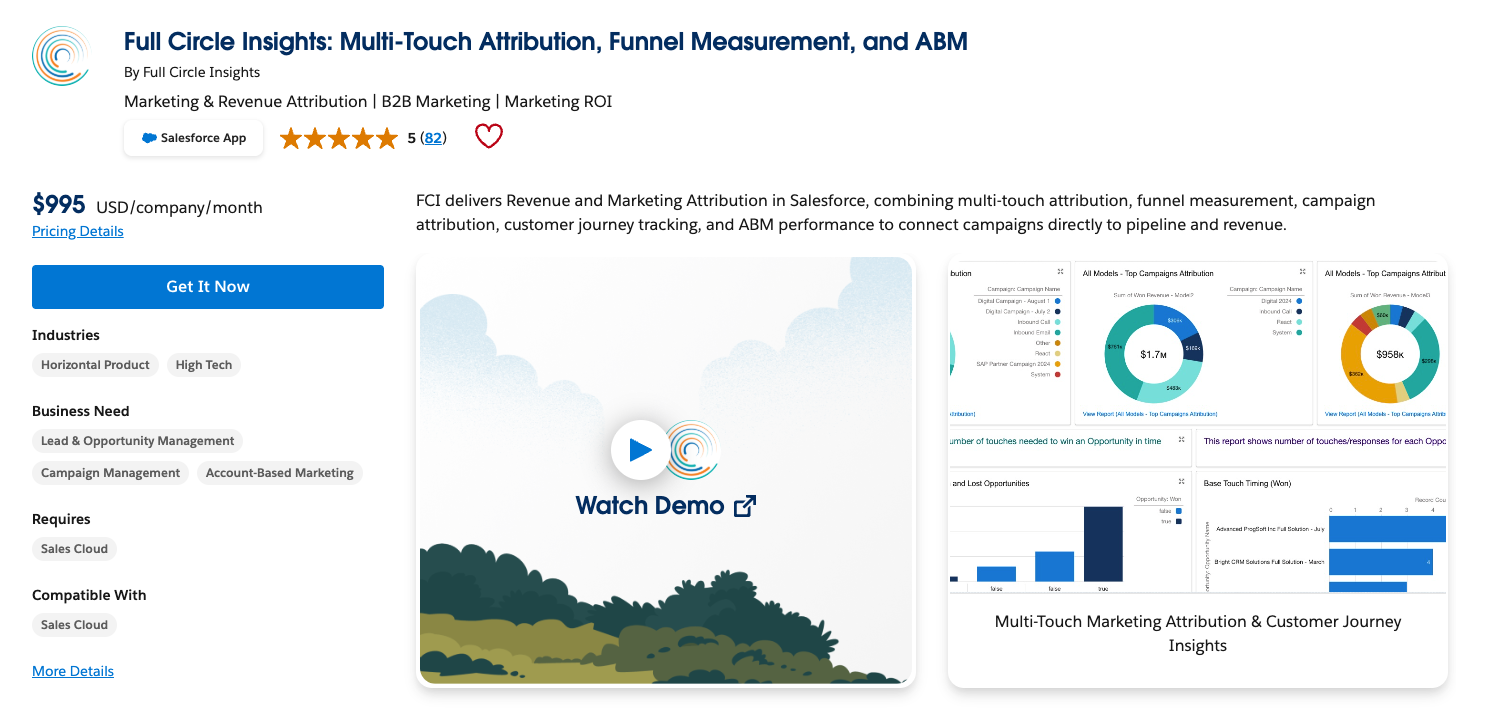
Full Circle Insights
Built entirely on the Salesforce platform, so your funnel and attribution reporting live inside Salesforce reports and dashboards. A fit for Salesforce orgs that want campaign and funnel metrics in one place, usually alongside a marketing automation platform.
What you should know
- Built entirely on the Salesforce platform, so funnel and campaign reporting live in native Salesforce reports.
- Combines campaign attribution with full-funnel metrics for example like leads, stage conversion, and velocity.
- Usually deployed alongside a marketing automation platform that handles the tracking layer.
- Web and cookieless capture isn't its focus, so lean on your MAP for that.
Pricing
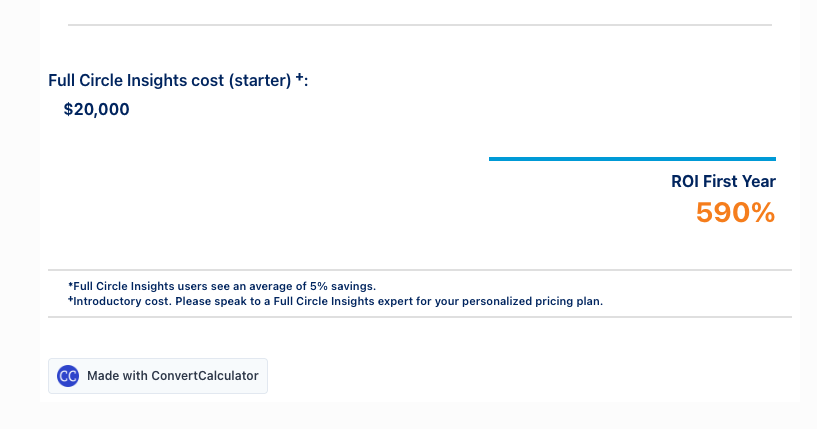
While pricing is listed at $995 a month on their AppExchange listing, their website shows a $20,000 starting price underneath a pricing calculator that also notes that you have to speak to the team for personalized pricing. So pricing, like every other tool, is scaled, in this instance based on your Salesforce database size, but the starting price isn’t clear. Third-party marketplace data from Vendr shows a median around $34,860 per year, with typical deals ranging from roughly $30,000 to $90,000+.
Dreamdata
A leader in the category with a serious B2B revenue-attribution platform that comes with a warehouse-grade data model. If you have a data team and want maximum control over how attribution is calculated, it's excellent. The trade-off is where the model and the reporting live: primarily in Dreamdata's world, which becomes a second place your team goes for the truth.
What you should know
- Warehouse-grade B2B revenue attribution with a data-driven, multi-touch model.
- Strong data modelling, plus a growing B2B glossary and analytics library.
- Best paired with a data team that wants control over how attribution is calculated.
- Model and reporting live primarily in Dreamdata's platform, becoming a second source of truth.
- Offers a genuinely useful free tier for testing the waters.
Pricing
There’s a free plan, but it doesn’t offer attribution. Paid plans are quote-based and scale with your data volume and needs. You can get a guided trial, which is a great offer.
CaliberMind
A B2B attribution and CDP platform that stitches the account-level journey together in its own data warehouse, then syncs the results back into a Salesforce custom object. It's strong for account-based teams with several data sources to reconcile and a RevOps function that can own a dedicated data layer. As Dreamdata, the model and the source of truth live outside Salesforce, so it's the wrong pick if what you want is a lightweight, CRM-native add-on rather than a platform to stand up and maintain.
What you should know
- B2B attribution built on a CDP with its own purpose-built data warehouse.
- Account-level and ABM-oriented, stitching activity to accounts across marketing, sales, product, and partner touchpoints.
- Supports multiple multi-touch models: W-shaped, chain-based, even, first/last, time-decay, and custom.
- Syncs attribution data back into a Salesforce custom object, so the CRM sees results while the model runs outside it.
- Assumes real RevOps and data maturity to run well.
Pricing
Another case of custom pricing that will require a quote based on data volume, but offers unlimited users and sessions. No public pricing tiers are published, and you’ll have to rely on LLMs scraping the info from forums you can visit yourself.
HockeyStack
Heavy on centralizing GTM data and using it in workflows that work alongside their attribution and journey tracking that all sits in a dedicated platform. Great if you want a marketing analytics home outside the CRM. Less ideal if your goal is to keep one revenue number that sales and finance already trust in Salesforce.
What you should know
- Journey analytics and multi-touch attribution in a dedicated, well-designed platform.
- Dedicated AI assistant called Odin that can be prompted to analyze data
- Popular with demand gen teams for clean dashboards and self-reported attribution capture.
- Combines web tracking with survey and self-reported data for a fuller top-of-funnel view.
- Reporting home sits outside the CRM, the trade-off for its analytics depth.
Pricing
You’ll be met with another ask to book a demo before you get any information regarding pricing. Third-party estimates start around $1,399/month for the base tier, rising to roughly $2,200/month+ for higher access, with enterprise contracts quoted individually.
Ruler Analytics
Ruler comes from a call-tracking history, but now offers a long list of features built for any B2B org. It's one of the few tools that ties anonymous web sessions and offline phone calls to the same revenue record, then syncs that data into and out of your CRM. A natural fit for lead-gen teams whose funnels run through phone calls as much as forms. Less ideal if you specifically want attribution to live inside Salesforce Campaign Influence rather than in a connected platform sitting alongside it.
What you should know
- Closed-loop attribution, tying anonymous web sessions and offline phone calls to the same revenue record.
- Supports first-click, last-click, linear, time-decay, and U/W-shaped models, plus custom weighting.
- Integrates with and enriches your CRM, syncing conversion and revenue data both ways.
- Reporting lives in Ruler's own dashboard, alongside rather than inside Salesforce.
- Especially useful where phone calls carry as much weight as form fills.
Pricing
You get full transparency with Ruler. You can find everything you need to know about pricing on their website. The entry tier starts around $668/month (about £499 or €575) for up to roughly 10,000 monthly visits, scaling with volume.
6sense
An ABM platform above all else, 6sense offers attribution built in as a module. If your motion is account-based and you want intent data, orchestration, and attribution under one roof, it's a strong buy. If all you need is multi-touch attribution in Salesforce, you'd be paying for a platform far larger than the job.
What you should know
- ABM as well, along with an intent platform, with multi-touch attribution built in as one module.
- Combines intent data, predictive scoring, orchestration, and attribution under one roof.
- Web and intent-based tracking oriented toward account-based motions.
- Attribution is a feature of a much larger platform, not the core purchase.
- Overkill, and overpriced if all you need is multi-touch attribution in Salesforce.
Pricing
There are no indications for pricing or tiers on the pricing page. You get a long list of features that you can see and learn about with the pricing during a demo. Third-party estimates range widely, from roughly $25,000 to $75,000 per year at entry to $100,000 to $250,000+ per year for enterprise deployments.
Cometly
Cometly is an ad-attribution tool at heart, built to sharpen paid-media performance across Meta, Google, LinkedIn, and TikTok. It uses server-side, cookieless conversion tracking to send cleaner signals back to the ad platforms, and it can capture Salesforce conversion events through an integration. It fits teams whose main growth lever is paid acquisition and who want tighter optimization at the ad-platform level. It's the wrong pick if you need CRM-native, multi-touch revenue attribution governed inside Salesforce Campaign Influence, because Cometly does its reporting in its own platform, not in your CRM.
What you should know
- Ad-attribution and conversion-tracking tool focused on paid-media performance.
- Server-side, cookieless tracking that feeds cleaner conversion signals back to Meta, Google, LinkedIn, and TikTok.
- Captures Salesforce conversion events through an integration using OAuth and server-side events.
- Reporting lives in Cometly's own platform, not in Salesforce Campaign Influence.
- Strongest where paid acquisition is the primary growth lever.
Pricing
You won’t find pricing on the pricing page here as “All plans tailored to fit your existing monthly pageviews.” From what we can gauge with third-party sources, the Core plan starts at $750/month for up to 50,000 sessions and scales with traffic; the Enterprise plan starts at $1,495/month. A one-time onboarding fee of around $1,500 applies.
Attribution App
Self-serve plans are public. The Pro plan is $399/month, billed monthly and covers up to 10,000 monthly tracked website visitors across HubSpot, Twilio Segment, and Salesforce. A Shopify-only plan sits below it at $199/month, and annual billing saves 16% on either plan rather than offering a separate price point. Overage on Pro runs $10 per additional 1,000 tracked visitors, and only the Custom tier, with account-based attribution, warehouse tooling, and offline/TV tracking, is quote-based.
What you should know:
- Multi-touch attribution and measurement for B2B teams with complex, multi-session journeys.
- Dedicated Salesforce plan plus an AppExchange package, adding account-based attribution for pipeline and ROAS.
- First-party data is ingested into Attribution App's own data environment, so the model runs in its platform.
- Public self-serve tiers exist for non-Salesforce use; the Salesforce plan is custom.
- Reporting lives outside Salesforce, the trade-off for its warehouse-first data model.
Pricing
Self-serve plans are public. The Pro plan is $399/month billed monthly, and covers up to 10,000 monthly tracked website visitors across HubSpot, Twilio Segment, and Salesforce — the Salesforce integration is included in Pro, not sold as a separate custom plan. A Shopify-only plan sits below it at $199/month, and annual billing saves 16% on either plan rather than offering a separate price point. Overage on Pro runs $10 per additional 1,000 tracked visitors, and only the Custom tier — with account-based attribution, warehouse tooling, and offline/TV tracking — is quote-based
Factors.ai
Factors.ai is an AI-driven ABM and account-intelligence platform that includes marketing attribution as part of a wider GTM stack. It blends website activity, ad data, and third-party intent signals to rank accounts by engagement and surface the real buyers inside them, with first-touch, last-touch, and influenced-touch views. It is account-level by design, which makes it a fit for account-based teams that want intent and attribution together, and a poor fit if all you need is opportunity-level multi-touch attribution written into Salesforce.
What you should know:
- AI ABM and account-intelligence platform with attribution built into a wider GTM motion.
- Account-level by design: ranks accounts by engagement and identifies buying-committee members.
- Blends website, ad, and third-party intent signals rather than CRM campaign data alone.
- Reporting and the model live in Factors' platform, not in Salesforce.
- Overlaps with 6sense and CaliberMind on the ABM-plus-attribution use case.
Pricing
Factors.ai now publishes list pricing across four tiers: Lite at $199/month after trial for up to 5,000 monthly tracked users, Basic at $6,000/year for up to 10,000, Growth at $20,000/year for up to 50,000, and Enterprise from $30,000/year for up to 100,000. Contracts are typically annual, with quarterly terms available for early-stage startups, and advanced attribution, AdPilot, and extra integrations are priced as add-ons on top of the sticker price.
Heeet
Heeet is a Salesforce-native attribution package. It captures every touchpoint (paid, organic, content, events), tracks anonymous web behaviour without cookies, syncs ad cost, and writes multi-touch results straight into Campaign Influence. No separate platform, no second login, no copy of your data sitting in someone else's tool. The reporting lives where revenue already does.
Heeet is for the team that wants trustworthy multi-touch attribution inside the CRM, live in hours, without maintaining an additional tool to get multi-touch attribution.
What you should know
- Salesforce-native and HubSpot-native attribution package that writes multi-touch results straight into Campaign Influence.
- Cookieless, privacy-first web tracking for anonymous visitors, plus offline capture.
- Syncs ad cost across paid channels for true ROI, not just touch counts.
- No separate platform, second login, or copy of your data in someone else's tool.
- Fast to deploy, typically live in about two weeks, sometimes in under 90 minutes.
Pricing
Native Edition from $1,490/month, billed yearly, for Salesforce or HubSpot teams, with unlimited seats and 500 net-new lead enrichments per month included ($110 per 100 leads beyond that). Custom Edition for other CRMs is quote-based.
What does Salesforce marketing attribution cost?
Pricing transparency is the biggest issue in the category. Almost nobody publishes a clean answer for Salesforce specifically. Public figures are cited to the vendor's page; quote-only figures are third-party estimates, labelled as such, and should be treated as ranges, not sticker prices. If you want the actual pricing for most vendors below, you’ll have to book a demo and inquire. This is understandable in certain cases, especially if you’re an enterprise looking for a solution that can adequately meet your needs in terms of volume, data hosting, security and more.
How do you choose the right approach?
Choose by your situation, not by a feature count. The table below maps the most common B2B setups to the approach that tends to fit, and says why. Find the row that sounds like your team.
Notice what the framework does. It sends you to a competitor in most of the rows. That's the point. A comparison only helps you if it's willing to tell you when the answer isn't the author's product.
Why "keep the data in Salesforce" is the deciding factor for most CMOs
For most Salesforce teams, the deciding factor isn't the number of attribution models. It's whether the answer lives in one secure place. Tools that run attribution in their own platform add a second source of truth, a second login, and another platform to adopt and gain confidence in.
We heard the same calls for a unified attribution solution in the CRM from our own experience and from clients who mention they “don't want another tool my team has to check, and I don't want our revenue data living somewhere outside Salesforce." When marketing's revenue number lives in a separate dashboard, sales quietly discounts it, and the old fight over pipeline credit starts up again.
This is exactly the reason Heeet and other providers have built CRM Native solutions. Ringover is the clearest example. The team runs acquisition across Google Ads, LinkedIn, Meta, SEO, and events, with HubSpot for automation and Salesforce as the source of truth for opportunities and revenue. Rather than bolting on another platform for attribution analytics, they moved multi-touch attribution into Salesforce. Their Head of SEO, Fátima Muñoz Peribáñez, described the payoff: "The reporting makes it easy to measure ROI and compare with other channels without operating multiple tools."
Without handling several tools. The 24% jump in attribution accuracy mattered, but the durable win was structural: one dataset, in the CRM, that marketing, sales, and finance all read the same way.
Where to go from here
Pick the row in the decision table that sounds most like your team, and start there. If native Campaign Influence covers you, tighten your Contact Role process before spending a dollar. If you have a data team and an appetite for custom modelling, a warehouse solution may be the best fit.
And if you're a Salesforce team that wants a revenue number your CFO trusts, without adding a second platform to reconcile, that's the specific problem Heeet was built to solve. The fastest way to know if it fits is to see it running against your own Salesforce setup.
Book a demo and bring your hardest attribution question. We'll show you where the number would land in your CRM, not ours.
Other articles
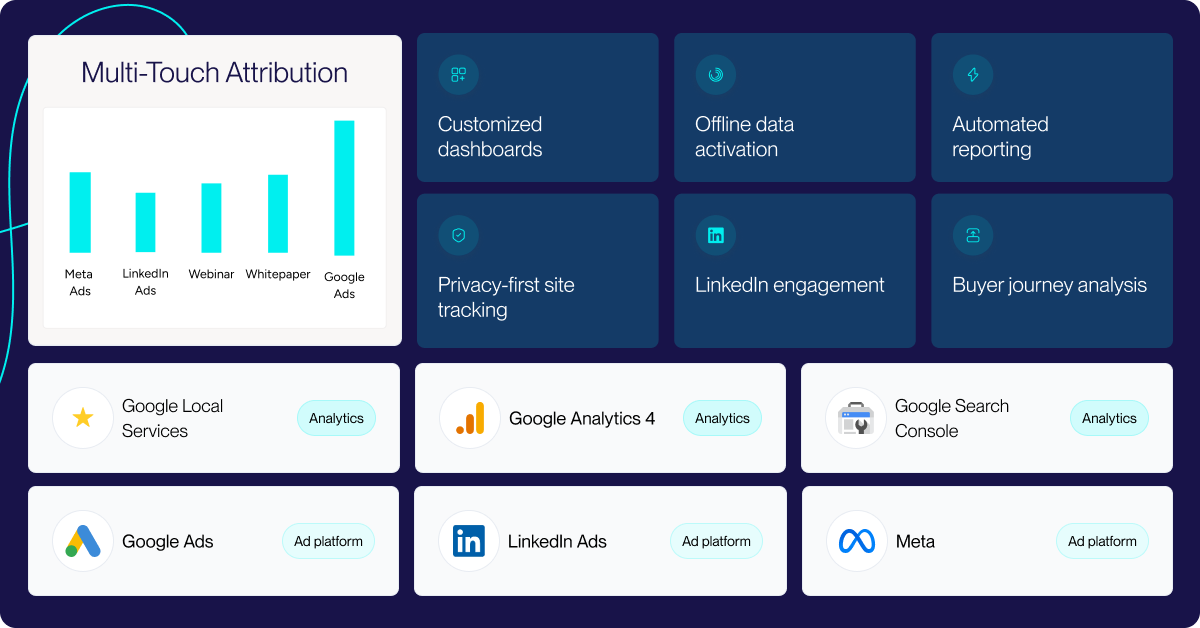
15 Marketing Attribution Tools for B2B Teams (2027)
Compare 15 marketing attribution tools for B2B teams: pricing, Salesforce and HubSpot depth, attribution models and cookieless tracking, checked Oct 2026.
AI Search Marketing: Why Marketing Owns More of the Deal
AI search marketing is reshaping B2B buying. Learn how LLM discovery shifts influence to marketing—and how to measure AI visibility in your CRM.
B2B Customer Journey Mapping 2027: AI to Revenue
B2B customer journey mapping that ties to revenue: the six buying stages, the touchpoints worth tracking, and how to build a map that lives in your CRM.
.svg)
Ready to track prospects from lead to close with Heeet?
Heeet gives marketers and sales professionals at IT & Security firms turn geuss work intro informed decisions that drive revenue while meeting the same secruity technical standards you provide your clients.