

Read time :
Salesforce Data Quality: How to Catch Attribution Gaps with Automation and Agents
Salesforce data quality is what makes your attribution trustworthy. If your records aren’t clean and current, you can’t prove marketing’s impact on pipeline or revenue. Here’s how RevOps can use analyst agents to spot and fix gaps automatically, so you stop missing campaign members, contact roles, and other data that messes up your reporting.



No matter the size or discipline of a marketing and sales team, there will always be a data quality issue in Salesforce tied to contact roles and campaign members. I’ve spent more hours inside other companies' Salesforce orgs than I’d care to count, and one moment repeats so reliably it’s almost comforting. Someone pulls a campaign report, and realizes almost immediately that the numbers don’t look right.
It’s a quick flash of embarrassment in a demo with a prospect, but it always comes back later with leadership. They get that gut feeling that something’s off, and their confidence drops.
When the numbers are off, it’s rarely the report’s fault. It’s the data behind it. Data quality work is still manual for most teams. In a world with agents, checking boxes and filling fields feels pointless. Teams want systems to handle the busywork so they can focus on real marketing or sales strategy.
Unfortunately, the agentic automations don’t come out of the Salesforce box, leaving the data quality that determines whether your attribution can be trusted in doubt. You can build a perfect multi-touch model on top of records with missing campaign members, duplicate leads, and orphaned opportunities, and it will produce a confident, beautifully formatted, completely wrong answer. RevOps teams know this better than anyone, because they’re the ones who get asked to explain the discrepancy in their reporting.
Sara, a Business Analyst and Salesforce Admin at Nel, described a version of this story she lived through time and time again: “We’ve had the unfortunate, but common, history of starting over, over and over again, so we’re consequently dealing with gaps in our data all the time.” She spent far too many hours in the last six years juggling spreadsheets to export data, filter noise, analyze conversion paths, and compile reports. Then it changed. Why? Because they added the layer that automatically associated Salesforce Leads, Contacts & Opportunities with Campaigns.
Let’s look at the main data quality problem teams like Nel avoided after they put systems in place to keep revenue data accurate in Salesforce.
Poor Salesforce data quality is throwing off your attribution
For attribution, Salesforce data quality comes down to whether your records are complete, accurate, and tied to the right source. That means campaign members are logged, leads link to the right opportunities, and touchpoints aren’t missing or duplicated. If any of that breaks, your attribution inherits the mistake.
Bad data doesn’t announce itself. It usually comes from old habits. Every marketer or Salesforce admin has gone back and forth with sales or CSM to fill in what the CRM missed. An opportunity missing a contact role or a report missing a campaign member doesn’t look like a gap, it goes unseen and shows the wrong number for campaign credit, with the same confidence as a correct one. That’s why data quality is a RevOps problem, not just an analytics one. The model can only report on revenue if the records are honest.
Garbage in, confident garbage out. That’ll leave you confidently acting on the tainted insights.
What data quality problems break attribution at scale?
Most attribution failures trace back to a short list of recurring data problems, and they worsen as the organization grows. The usual suspects:
- Missing campaign members: A touchpoint occurred but wasn't logged against the campaign, so the campaign is under-credited, and attribution misses the link.
- Duplicate and re-engaged leads: The same person counted twice, or a returning lead counted as new.
- Orphaned opportunities: Deals with no link back to the marketing source that created them, so attribution can’t trace the source.
- Disconnected systems at scale: Ad accounts and CRM instances that don’t talk to each other.
The duplicate problem is more corrosive than it looks. In demos, I constantly hear some form of the same omission from teams unable to avoid the duplicate issue; it sounds a bit like the following :
“If we count leads from a certain channel in a particular month, we don’t always know if it was already a lead from the previous month, or if it’s a lead re-engaged via another channel.” When you can’t trust a lead count, you can’t trust anything built on it.
Scale amplifies the duplicate dilemma. Marketing operations teams are running several Google Ads accounts with connectors that only support a single account, making this unworkable. Put that on top of the multiple Salesforce instances teams deal with, and it means that nothing is truly connected. The data isn’t wrong because people are careless. It’s wrong because the volume outran the infrastructure it flows through.
Volume is the enemy of manual data cleanup
Manual data cleanup stops working the moment volume outgrows the people doing it, which happens faster than most teams expect. Catching gaps by hand is fine at one market and one product line. When you have to maintain seven markets and several products, it becomes a full-time job nobody has time for.
Teams eventually reach their breaking point when left to conduct manual cleanup and analysis. The task doesn’t just take more time; it becomes more complex. It’s almost never the case that people get worse at their. The problem becomes more apparent as businesses grow while still relying on manual methods to clean data, regroup interactions, and determine attribution truth.
When teams get caught in the clean data trap that scale presents, and continue manual processes long past the point where they can keep up, the gaps don’t close, they widen.
Removing the manual workflow with automated association in Salesforce
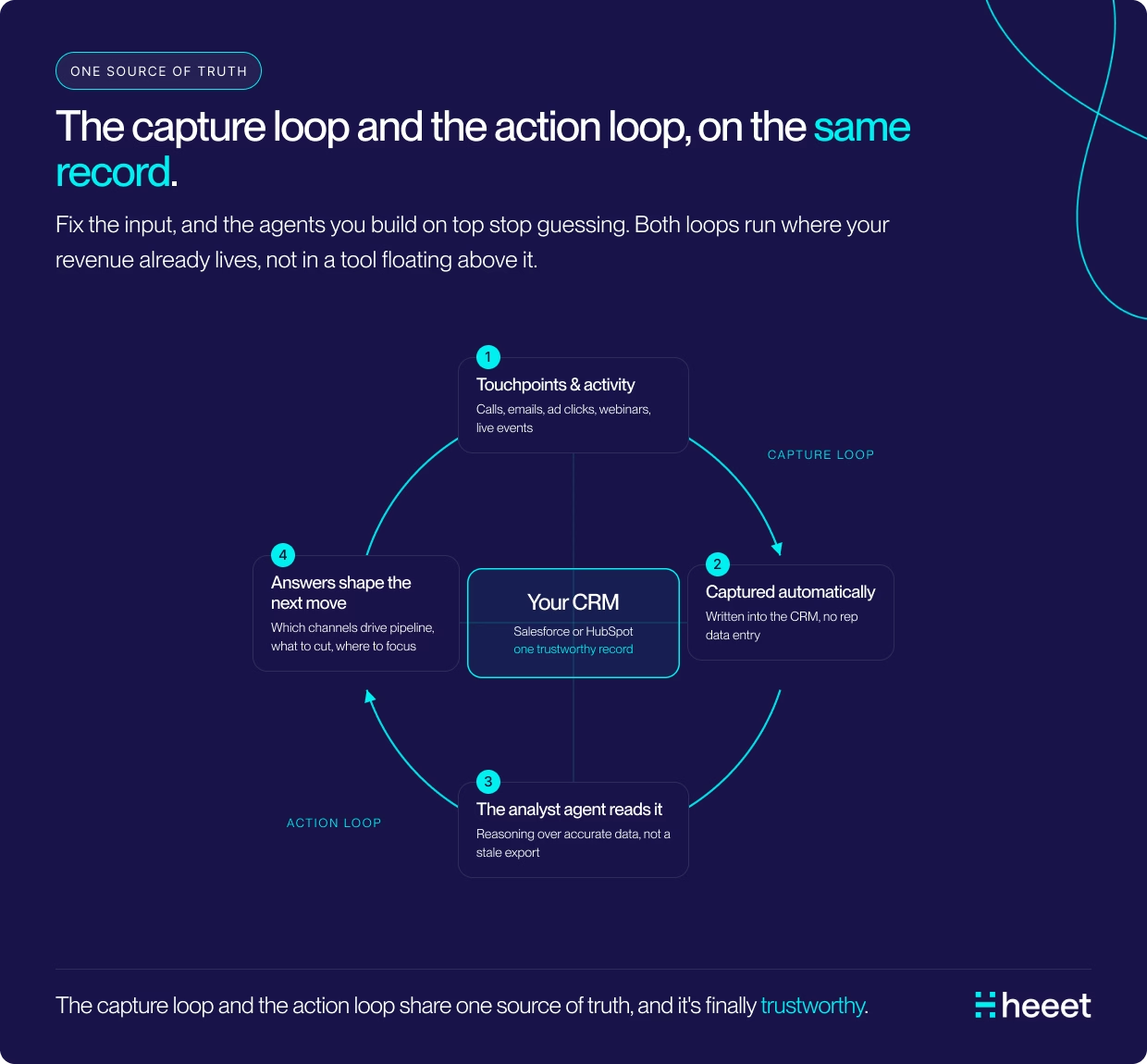
Transitioning from manual workflows, automatic campaign association in Salesforce fundamentally changes how revenue teams capture and leverage marketing data. Instead of relying on manual data entry, patchwork automations, or disconnected systems, a true automated solution ensures that every marketing touchpoint, across all channels and platforms, is captured, matched to CRM records, and linked to Opportunities without wasting your team's time.
Tools like Heeet make this possible by connecting directly to ad platforms (Google, LinkedIn, Meta, and more), organic sources, and web analytics. Every visitor interaction is recorded natively in Salesforce, preserving the complete buyer journey and maintaining compliance with data governance policies. When a prospect converts, all their touchpoints are automatically associated with the relevant Lead, Contact, and Opportunity, giving every campaign that influenced the deal its due credit, whether or not sales reps update Contact Roles or create Campaign Members.
This automation unlocks several key benefits for revenue teams:
- Accurate, real-time campaign ROI reporting directly in Salesforce, without manual reconciliation or external tools.
- Stable, auditable metrics through features like campaign snapshots, which freeze performance at specific points in time for consistent reporting.
- A single source of truth that aligns Marketing, Sales, and RevOps on campaign influence and revenue attribution, eliminating debates over which system to trust.
Most importantly, automatic association closes the gap between marketing activity and revenue impact. Every touchpoint is visible, every lead and opportunity is connected, and campaign contributions are transparent inside the CRM your teams already use. This ensures your data foundation is strong and sets the stage for the next step: cleaning up legacy records and data gaps that existed before automation was in place, so you can fully trust and defend your revenue reporting. If you want the full breakdown of what automation should look like, and the efficiencies it presents, make sure to read our article detailing its benefits.
Cleaning legacy records with the Analyst Agent
As mentioned above, Heeet automatically links leads to opportunities, which is how Nel began bypassing the manual addition of contact roles in Salesforce to reduce human input and errors. Less manual entry means fewer gaps in the first place. The Analyst Agent runs within Salesforce, so it audits the same records your reports do. Clean data in, accurate insights out.
Heeet’s Analyst Agent has access to any Salesforce object and can create reports and analysis from the single source of truth Heeet brings into your CRM. This gives analyst agents the ability to clean legacy records affecting your reports by surfacing data quality issues in plain language that reach your dashboards. Instead of living with the data that fell in the gap, here’s how to start auditing records and campaigns in the past.
Step 1: Audit the data, not just the report.Ask the agent directly:
“Which closed-won opportunities last quarter have no associated campaign or marketing source?”
The agent reads your Salesforce records and returns the orphaned deals, with the records attached, so you can fix the link to the right source instead of guessing the cause.
Step 2: Hunt the specific gaps.Run the questions that catch silent corruption:
- “Which campaigns have spend but no campaign members logged?”
- “Where do we have duplicate leads created in the last 30 days?”
- “Which opportunities are missing the contact roles that drive attribution?”
Step 3: Schedule the integrity check.Have the automation in place, but still want ace of mind of regular checks? Set up your agent to send a weekly data-quality summary to your RevOps Slack channel and into Salesforce. It becomes a standing audit that runs on its own, flagging gaps while there’s still time to fix them before reporting.
Step 4: Alert before the report ships.Tell the agent to flag anomalies as soon as they appear, such as a campaign whose member count suddenly drops. You catch the break before it flows into a number of leadership actions.
What does clean data actually buy a RevOps team?
Clean, monitored data buys RevOps the one thing the role is ultimately measured on: numbers people can defend. When the records are trustworthy, the team stops spending its week reconciling discrepancies and starts answering strategic questions instead.
Sara at Nel described the payoff better than I could: “For the first time in the almost six years I’ve been here, I trust what I’m putting out there. I can at least defend it.” That sentence is the whole job. Not a prettier report. A report you’d stake your credibility on and keep defending, because that’s what clean data earns.
Trust compounds, too. Once finance and sales believe the marketing numbers, the cross-functional arguments fade, because everyone is reading from records they all consider clean. That’s the point: cleaner data doesn’t just improve reporting; it gives RevOps a result they can stand behind.
Every attribution model assumes the underlying data is sound. RevOps is the team that knows how rarely that assumption holds. Monitor the records instead of trusting them, and the report stops being something you brace for and becomes something you’d defend in any room.
Other articles
How to Automatically Associate Salesforce Leads, Contacts & Opportunities with Campaigns (2027)
Learn why Salesforce campaign association breaks and how to automatically link Leads, Contacts, and Opportunities to campaigns for accurate multi-touch revenue attribution.
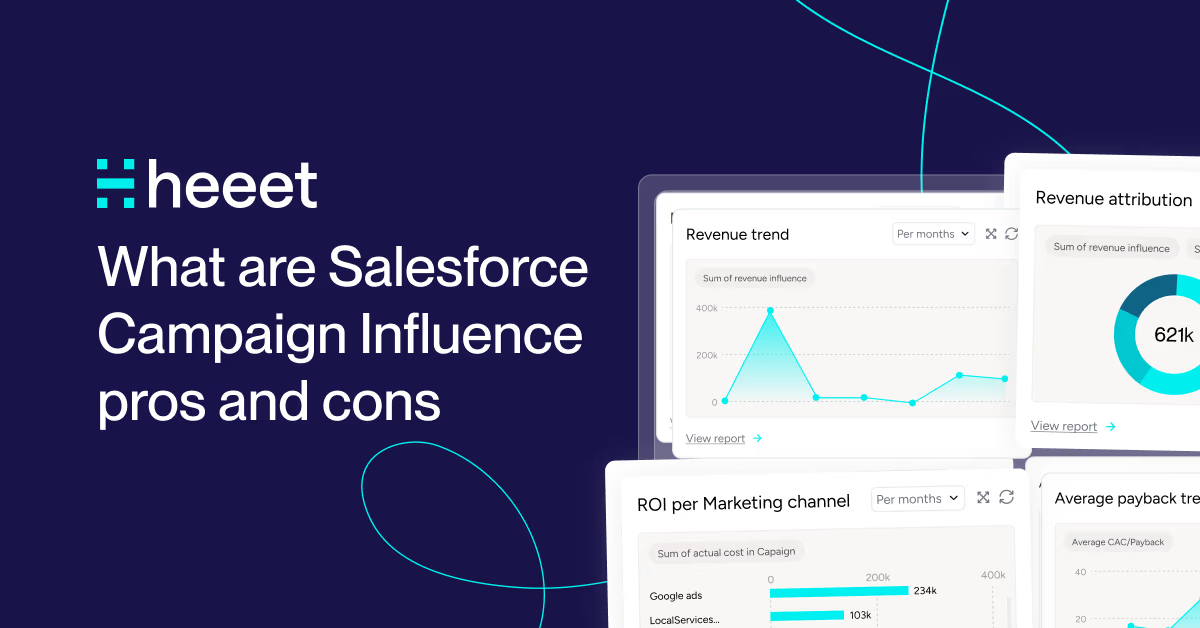
Salesforce Campaign Influence: Pros, Cons & Limitations (2027)
Salesforce Campaign Influence connects campaigns to pipeline but it has real limits. See the pros, cons, attribution models, and how to fill the gaps.

CRM Native Attribution in Salesforce & HubSpot: Limits & Alternatives
How Salesforce Campaign Influence and HubSpot's CRM native attribution works, what they miss, what they cost, and what fills the gap.
.svg)
Ready to track prospects from lead to close with Heeet?
Heeet gives marketers and sales professionals at IT & Security firms turn geuss work intro informed decisions that drive revenue while meeting the same secruity technical standards you provide your clients.