How to connect google analytics 4 (GA4) with Salesforce
Setup
Heeet allows you to send any offline conversions data from Salesforce to GA4.In order to use this feature you first need to configure a GA4 account.
Create a GA4 Account
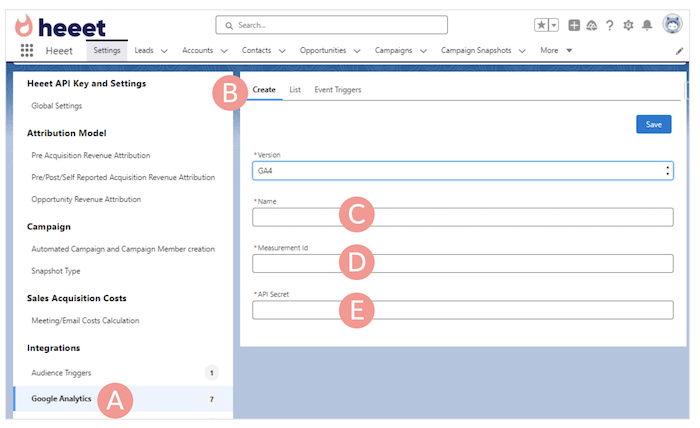
- Go to Heeet > Settings > Google Analytics (A)
- Click on Create (B)
- Give a name to this GA4 Account (ie: Heeet) (C)
- Go to GA4 > Admin > Data Collection and Modification > Data Streams and select the relevant website Data Stream. Measurement ID always start with G-XXXXXX Then paste it in the Measurement ID field (D).
- Go to GA4 > Admin > Data Collection and Modification > Data Streams > Select the relevant website Data Stream and scroll down to the Measurement Protocol API secrets sections.
- Click on Create and copy paste the API Secret in the settings field €
Create Data Trigger
Once you added a GA4 account, you can create a « datatrigger ».A trigger is an event happening in Salesforce that should besent to GA4 as an event
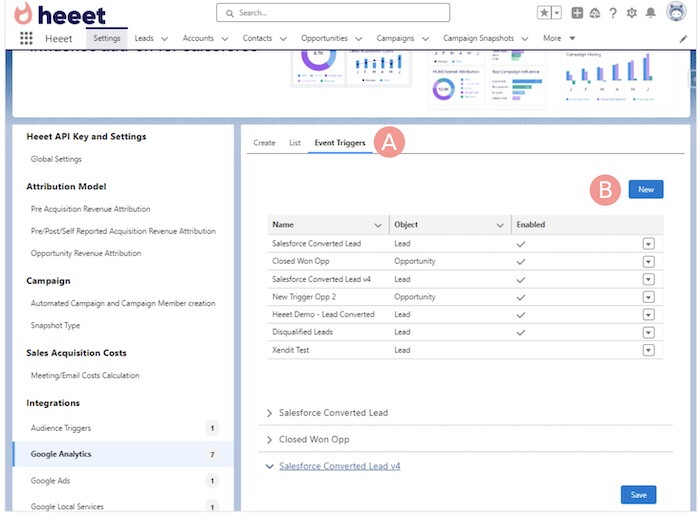
- To create your first event, go to Go to Heeet > Settings > Google Analytics > Event Triggers Click on New
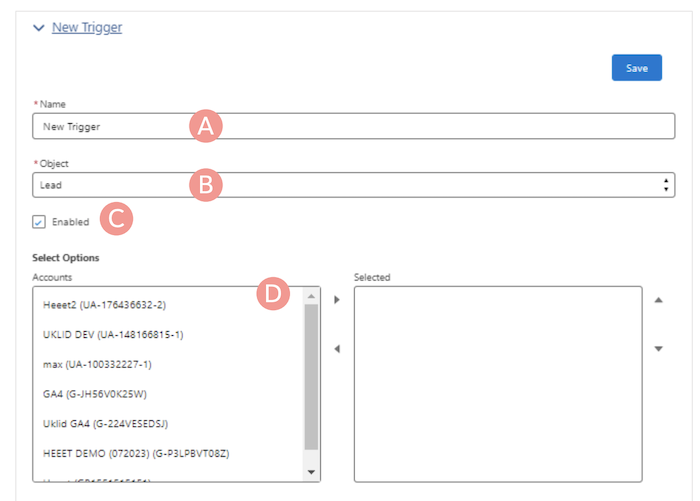
- Give your Trigger a unique name (A)
- Select what object this trigger is based on (B)
- Check the « Enabled » checkbox to activate it (C)
- Select GA4 account(s) this event should be sent to (D)
Create Data Trigger Conditions
You can define what should be the Salesforce conditions toactivate this trigger and send the data to GA4.
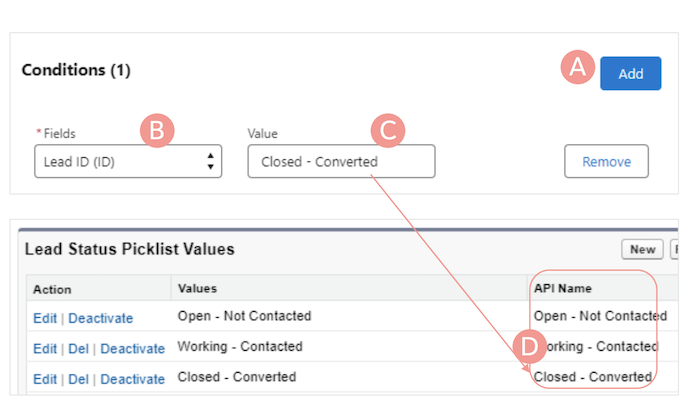
- Click on « Add »
- Select the field on which you want to apply a condition
- Fill in the value which should trigger the event
Please note that you have to paste the API name of thefield value.Exemple:You want to send an event to GA4 when a lead isconverted. Then you will have to select the API name ofthe Lead Status field
Create Data Trigger Values
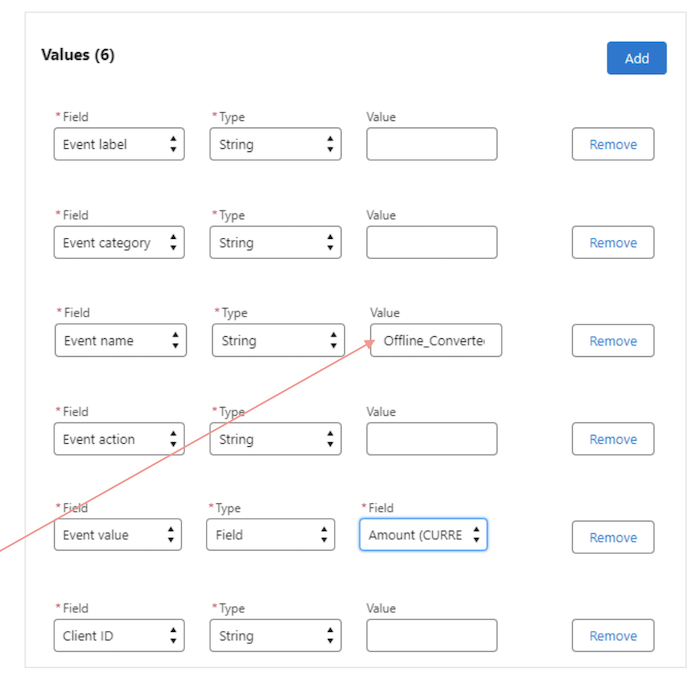
Once you completed the Conditions part, you can customize the Event values.You can send either a String value, a Number value or use a Field value from the selected object.We usually recommend to use the following Event Fields.
- Event Category : we usually tell our customers to use a generic value to easily find all events related to a specific Category such as Salesforce Offline Event, we recommend to use a string value
- Event Label : here you can set a clear label such as Converted Lead or Salesforce Closed Won Opportunity, we recommend to use a string value,
- Event Action : you can set a string value such as Heeet Automated Event
- Event Value : usually we recommend our customers to use a number field set to 1 for unique events such as converted leads but to use an object value for transactional event such as closed won opportunity. If you want to send the Amount Opportunity value, then select type = Field and value
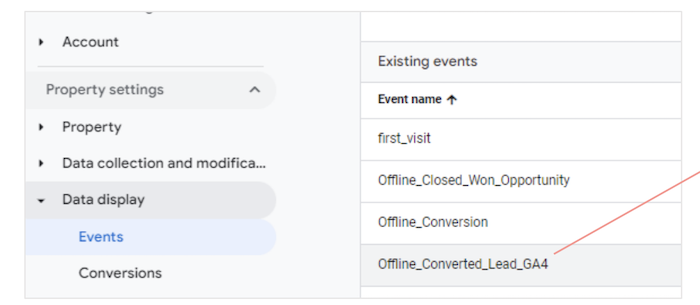
- Event Name : you need to create first an event in GA4 and use the exact same event name as string value
Google Analytics Features
With Google Analytics integration, you can:
- Send offline conversion data from Salesforce to GA4
- Track lead conversions and opportunity closures
- Create custom events based on Salesforce field changes
- Maintain a complete view of your marketing funnel
- Analyze the full customer journey from online to offline