

Read time :
Warm outbound to LinkedIn engagers already in your Salesforce
A warm outbound play: find the LinkedIn engagers already in Salesforce, read their journey, write from the post they engaged with and retarget the quiet ones.


Last updated: 20 October 2026
Eight forty on a Tuesday. A VP of Operations at one of your target accounts comments on your CEO's post about Q4 budget cuts. Two of her colleagues like it before nine. By the time your SDRs open a queue sorted by lead score, the comment has done its work and nobody on the sales floor knows it happened.
Michel Lieben at ColdIQ published one answer in September 2026, Play 6 of his 26 GTM plays for Claude Code: scrape every engager on a post, enrich them, push them into a sequence. It books meetings. It also treats that VP exactly like the 300 strangers who liked the same post. A scraper can't know she has been a Contact in your Salesforce since March, at an account with an open opportunity.
Warm outbound starts from the other end. When a known Lead or Contact likes or comments on one of your company's posts, Heeet writes that interaction onto their Salesforce record. Her journey is already there too, summarised by Lead Intelligence with a suggested next step. This play reads that list with Claude, hands each rep a first line built from what she read, and moves the accounts that stay quiet into a LinkedIn audience so your ads keep the conversation going.
What do you need to run this play?
Sales runs it every morning. Marketing owns the post calendar and the 30-day measurement.
- Heeet installed in Salesforce, with LinkedIn engagement tracking connected: Heeet Settings, then LinkedIn, then Social, then select one or more company pages. Engagement syncs once a day.
- Lead Intelligence on your Lead and Contact page layouts.
- Claude connected to Salesforce, through the Salesforce in Claude plugin or Claude Code with the Salesforce Hosted MCP server. The read-only
sobject-readsserver is enough. Claude sees only what your own Salesforce profile allows. - A Slack channel your account owners read.
- Optional: the Clay MCP (
https://api.clay.com/v3/mcp) for missing emails, and the lemlist MCP (https://app.lemlist.com/mcp) or any sequencer you already use. - For Step 7: the Audience Activation Engine connected to LinkedIn Ads.
What signal does this play run on?
Two Heeet records, one on the person and one on the account.
The first is a Digital Influence record. When a known Lead or Contact likes or comments on a post from a company page you track, Heeet writes the post, the interaction and the date onto that person's record. It shows in the timeline and in standard Salesforce reports, and a SOQL query reads it like any other object.
The second is account-level ad exposure. Heeet matches the companies your LinkedIn campaigns reached to your Accounts by web domain and writes the campaign, impression count and last activity date onto the Account and its Opportunities. Exposure rows never receive attribution credit. Here they do one job: telling you the account has been seeing your ads while one person engaged with your posts.
Next to both sits the journey Heeet already tracks: the first-click channel, the pages read, the webinar attended, the ad clicked. Lead Intelligence turns that journey into a short summary on the record, with a recommended next step and talking points. Your rep isn't deciding whether to write to a stranger. The history is already on the screen.
Where each person sees it
Nobody in this play opens a new tool to get the context. It's waiting wherever they already work.
| Who | Where they work | What Heeet gives them |
|---|---|---|
| SDR or AE | The Salesforce Lead or Contact record | The engagement, the full journey, the Lead Intelligence summary and talking points |
| Ops or demand gen | Claude, connected to Salesforce | The week's engagers as a ranked list, with pipeline and ad exposure alongside |
| Account owner | Slack | One message per engager at their accounts |
| Paid team | LinkedIn Campaign Manager | A matched audience of the accounts that didn't reply |
How do you run warm outbound to LinkedIn engagers?
Step 1: pull the last seven days of engagers
Prompt for Claude with Salesforce connected:
First run get_object_schema on Heeet's influence object so you know its field
names (search the org for objects whose label contains "Influence").

Then list every LinkedIn organic influence created in the last 7 days. For each
person return: name, title, Lead or Contact, Account, the post they engaged
with, the interaction type, the date, the Account's open Opportunities (stage,
amount, owner), whether the Account is a customer, and whether the Account has
LinkedIn ad exposure in the last 30 days. Group by Account. Exclude customers.
Flag anyone who has engaged more than once in the last 30 days.
Expected output: a table of 15 to 60 people, grouped by account. If it comes back empty, check the company page selection in Heeet Settings before you touch the prompt.
Step 2: sort into three groups
Ask Claude to split the list. People at accounts with an open Opportunity go to the owner and never into a sequence. People at target accounts with no open Opportunity form the sequence group. Everyone else waits for a second signal.
Inside the sequence group, rank anyone who engaged twice in 30 days first, then accounts with recent ad exposure, then everyone else by title.
Step 3: read the journey before anyone writes
For each person in the sequence group, the rep opens the record and reads the Lead Intelligence summary: what the person engaged with across paid, organic, content and social, the recommended next step, and the talking points. Two minutes per person, tops.
Working from Claude instead? Ask for the raw material behind the summary:
For each person in the sequence group, list their last five Heeet touchpoints
(channel, campaign or page, date) and their first-click channel. One line each.
Claude reads the same touchpoints the summary was built from, so the two views agree.
Step 4: fill the gaps (optional, Clay)
Using the Clay MCP: for each Account in the sequence group, find and verify a
work email for anyone who has none, then find one more person whose title
matches [your buying-committee titles]. Return name, title, account, email,
source and confidence.
One call per account keeps the credit spend predictable.
Step 5: write the first line from the post, never from the like
For each person in the sequence group, write a first line under 25 words about
the subject of the post they engaged with. Do not mention that they liked or
commented. No exclamation marks. Then add one sentence built from the top
talking point in their journey: the page, webinar or content they spent time on.
Read ten of them before anything goes out. Cut the ones that sound like a template.
Step 6: load the sequence and tell the owners
If you use lemlist:
Using the lemlist MCP, add these leads to the campaign "Warm engagers Q4" with
the variables post_topic, first_line and account_owner. Do not start the
campaign. Return the count added and any lead rejected as a duplicate.
A human starts the campaign. That one click is the review gate.
Then post one Slack message per account owner: who engaged, with which post, the suggested first line and a link to the record. For the open-pipeline group, this message is the whole play. The owner replies personally and nothing gets sequenced.
Step 7: retarget the accounts that stay quiet
After 14 days, list the sequence-group accounts with no reply and no new activity. Add them to a Salesforce list that the Audience Activation Engine syncs to LinkedIn as a company Matched Audience, and run your best post from the period as a sponsored ad against it.
LinkedIn won't serve an audience under 300 matched members. One week of engagers won't get you there. Let the list build across four to six weeks, or fold these accounts into an ABM audience you already run.
Step 8: measure it in 30 days
List Opportunities created or advanced a stage in the last 30 days on Accounts
whose Contacts were added to "Warm engagers Q4". For each, show the Heeet
LinkedIn organic influences on the Opportunity and the revenue influenced under
the Linear and U-Shaped models.
Heeet now writes four revenue figures on every Marketing Influence (First Touch, Last Touch, Linear, U-Shaped 40/40/20), so you can show the number under the model your CFO already trusts. That report is the argument for posting more, and the brief for what to post about.
Who gets a sequence and who gets a Slack nudge?
Sequence people at target accounts with no open Opportunity. Route people at accounts with an open Opportunity to the owner, unsequenced. Exclude customers entirely, even when they comment; account management can thank them instead. Anyone who engaged twice in 30 days moves to the top of whichever group they're in. A single like on a hiring post doesn't qualify anyone. Wait for something else.
Why does warm outbound work better than a scraped list?
Recency first, familiarity second. Someone who read your CEO's argument this morning still has the topic in mind, so a first line about it reads as a continuation of something she chose to do. The rep also sees the rest of the journey before writing: the webinar in June, the pricing page last week. Ringover's case study puts a number on one of those signals. Of the leads who visited its pricing page, 33% became sales opportunities.
How do you make it recurring?
Schedule the Step 1 pull and the Slack post for 9:00 every weekday. Run the Step 8 report on the first Tuesday of each month and put the influenced pipeline in the weekly digest (Play 7). Once a quarter, ask Claude which post topics produced engagers who later became Opportunities. Hand that list to whoever writes the founders' posts.
Related
- Plays: Re-open closed-lost deals the moment they come back (Play 6) · Pre-call brief with the full buyer journey (Play 2) · Retarget stalled pipeline on LinkedIn (Play 4)
- Features: LinkedIn Engagement · Lead Intelligence · Customer Journeys · Audience Activation Engine
- Docs: LinkedIn engagement tracking setup
- Reading: Are you measuring dark social's impact on acquisition and revenue? · ABM marketing attribution
FAQ
Does Heeet track engagement on founders' personal posts or only on the company page?
Company pages you select in Heeet Settings. To catch a founder's post, have the company page repost it.
What if the engager isn't in Salesforce?
Then there's no Digital Influence record and no row in this play. That's the scrape-everyone play, and it's a fine complement. This one covers the people you already know.
Will Claude write anything into Salesforce?
Not in this play. Salesforce stays read-only through the sobject-reads server. Writes happen in your sequencer, Slack and the Salesforce list behind the LinkedIn audience, and a human approves each one.
Does ad exposure inflate LinkedIn's attributed revenue?
No. Exposure rows are excluded from every attribution calculation Heeet runs and carry no cost. This play uses them only to rank accounts.
How do I prove the play produced pipeline?
Step 8 reads the LinkedIn organic influences straight from the Opportunities on the accounts you worked, with revenue under each model. That's a pipeline number, not a lemlist reply rate.
Other articles

Closed-Lost Reactivation the Moment a Lost Deal Comes Back
Closed-lost reactivation on a real signal: Heeet writes the return visit onto the Contact, Claude reads the loss reason, lemlist sends the follow-up.

Claude for Sales: Pre-Call Brief With the Buyer Journey
Claude for sales preps the call from CRM data. One more prompt adds the buyer journey Heeet writes to the same records, for the whole buying committee.
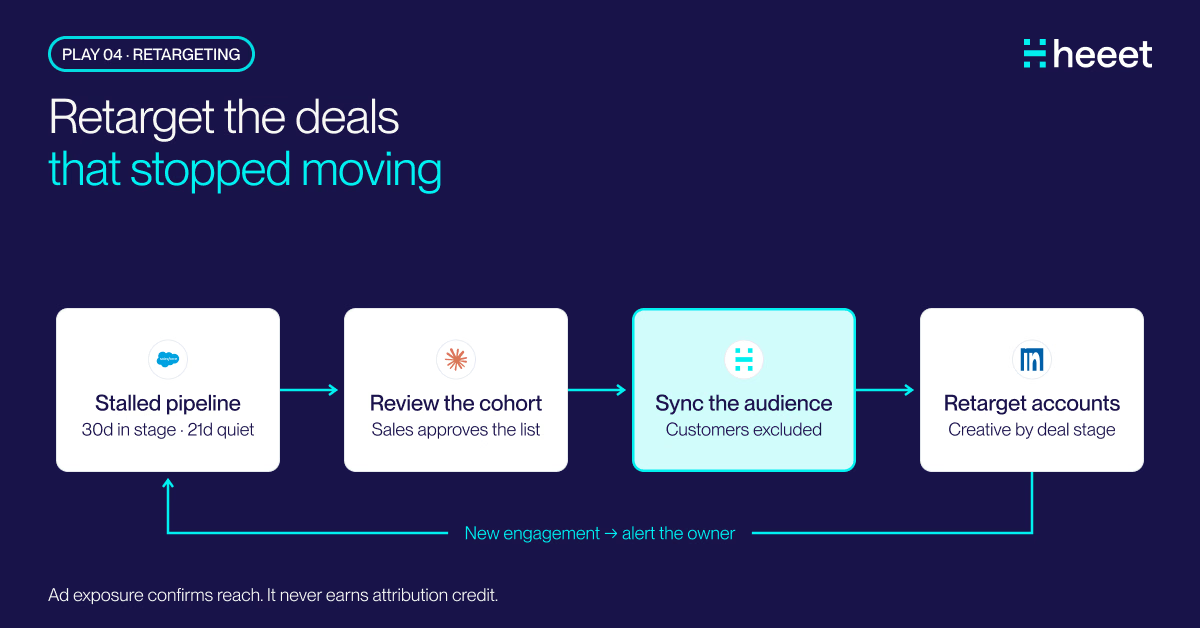
CRM Retargeting: Stalled Pipeline to a Live LinkedIn Audience
CRM retargeting for stalled deals: Claude finds the opportunities that stopped moving, Heeet keeps their accounts in a live LinkedIn audience, customers out.
.svg)
Ready to track prospects from lead to close with Heeet?
Heeet gives marketers and sales professionals at IT & Security firms turn geuss work intro informed decisions that drive revenue while meeting the same secruity technical standards you provide your clients.