Sync Salesforce Contacts to Meta Custom Audiences
Prerequisites
Before creating a Meta Custom Audience from Salesforce, make sure that:
- Heeet is installed and configured in your Salesforce org
- The Meta (Facebook) integration is connected in Heeet
- You have access to your Meta Business Manager and the target ad account
- Salesforce Lead and/or Contact objects are enabled
How Meta Custom Audiences Work with Heeet
Heeet lets you define audience triggers based on Salesforce data.
When a Lead or Contact meets the conditions you set:
- The record is automatically added to a Meta Custom Audience
- Identifiers such as email, phone, first name, and last name are securely hashed and sent
- The audience stays updated as Salesforce data changes
This removes the need for manual CSV exports and re-uploads to Meta Ads Manager.
Set Up Audience Triggers
Create a new trigger to send Lead/Contact to Facebook Ads Audience
- Click on Audience Triggers and click on New
- Select the Object the conversion audience will be applied (between Lead and Contact)
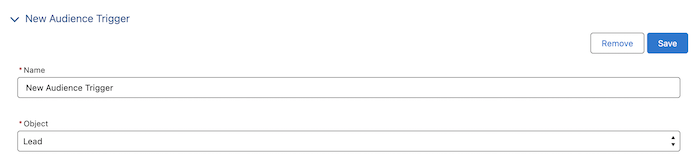
- Select the Google Ads Account, the Customer Id and Audience

- Select the Conditions (Amount and Gclid)

- Select the Values (FirstName, LastName, Email, Phone)

- Click on Save
Automatic Audience Sync
After setup:
- Custom audiences are synced automatically
- Updates happen without manual action
- New Leads or Contacts are added to the audience as soon as conditions are met, and removed if they no longer qualify
This ensures your Meta ad targeting always reflects the latest CRM data.
Platform
Resources
Company
Compare
Free Tools
Features
Industries